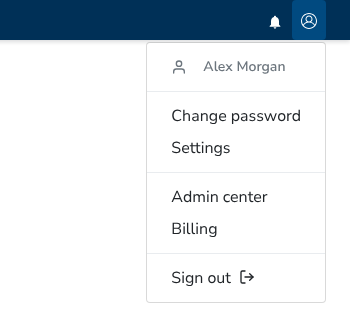
Older versions call this page “Subscription”. It is now called “Billing”. Open it by clicking the user button in the header and choosing “Billing”. The Admin center also has a “Subscription” card that opens the same page.
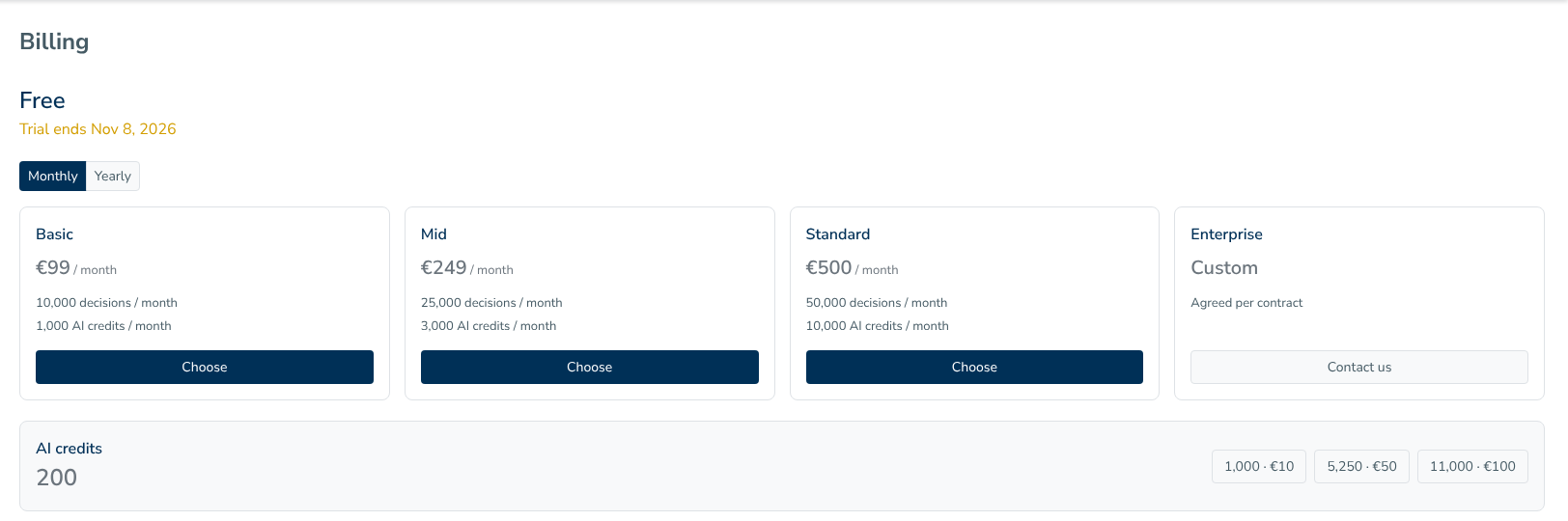
The top of the page shows the current plan name. A Free plan shows its trial end date as “Trial ends
The Monthly / Yearly switch sets the billing period. The plan cards show these plans:
| Plan | Price | Decisions per month | AI credits per month |
|---|---|---|---|
| Basic | EUR 99 per month | 10,000 | 1,000 |
| Mid | EUR 249 per month | 25,000 | 3,000 |
| Standard | EUR 500 per month | 50,000 | 10,000 |
| Enterprise | Custom, agreed per contract | Custom | Custom |
The current plan button reads “Current plan”. Other selectable plan buttons read “Choose” and open the payment checkout. The Enterprise card has a “Contact us” button. For a paid plan, “Manage billing” opens the payment provider’s billing portal.
The AI credits box shows the remaining balance. You can buy these credit packs:
| AI credits | Price |
|---|---|
| 1,000 | EUR 10 |
| 5,250 | EUR 50 |
| 11,000 | EUR 100 |
Selecting a pack opens the payment checkout.
Then you can manage your subscription settings on this page, such as modifying company name, primary contact and address information. The “Billing details” form includes Company name, Company ID, Primary contact with Name, E-mail and Phone fields, and Address with Building & Street, Town, County, Post code and Country fields. After making changes, click “Update settings”.
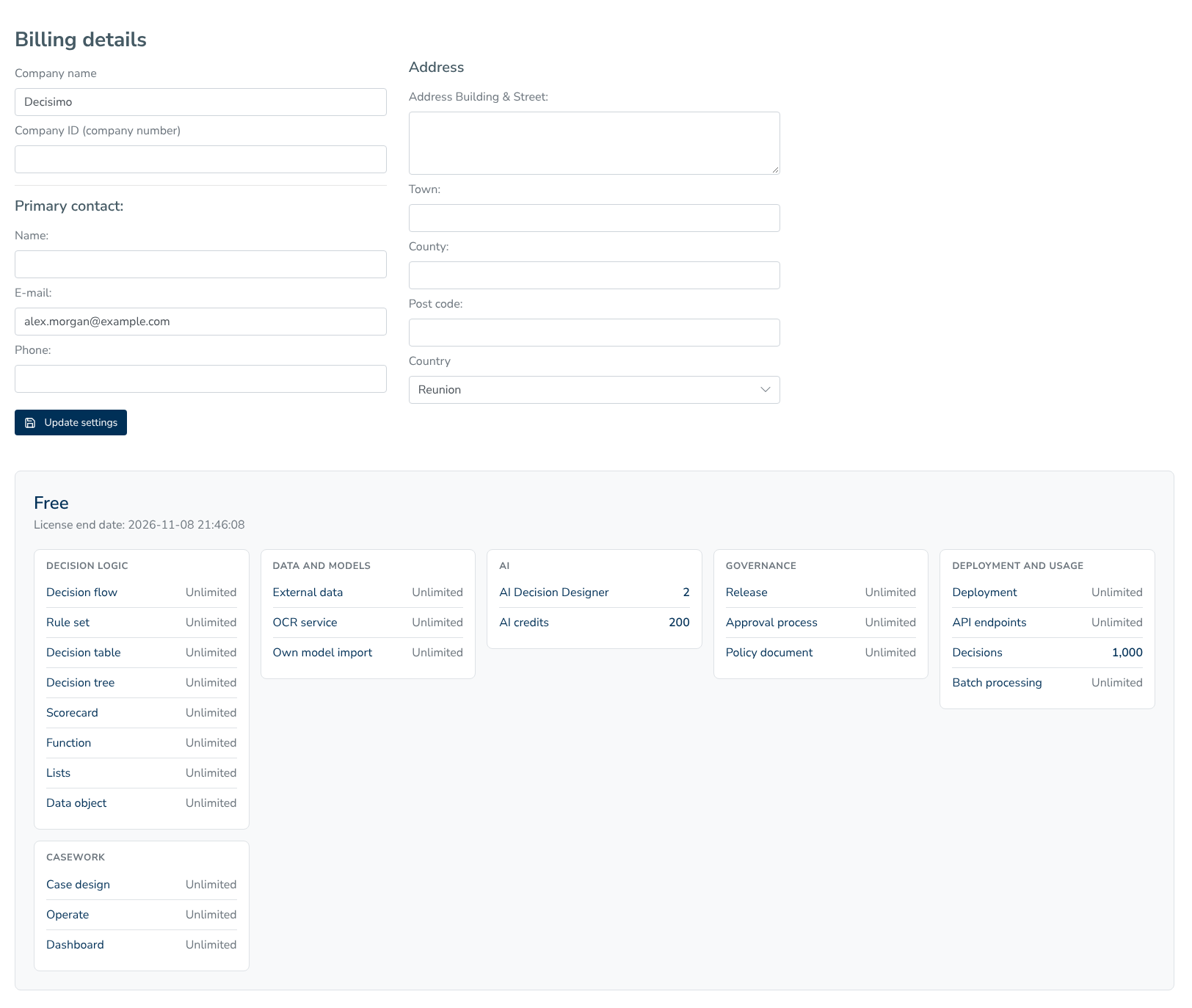
Under the form, a panel shows the plan name, the license end date, and usage limits grouped as Decision logic, Data and models, AI, Governance, Deployment and usage, and Casework. Each line shows Unlimited or a number.