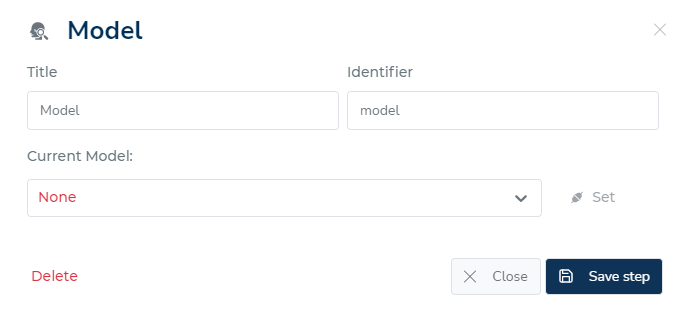
For each decision-making step, there might be additional information that you can define or must provide. These details may vary based on the step type. However, the two fields that are typically present in each decision step are the Title and the ID.
The Title label is only used within the decision management platform; it is not accessed by the engine during execution.
In contrast, when the decision flow is being executed, the engine uses the ID, a technical name, to identify the step. Make sure the ID is both unique and accurately captures the step's objective.
Function options
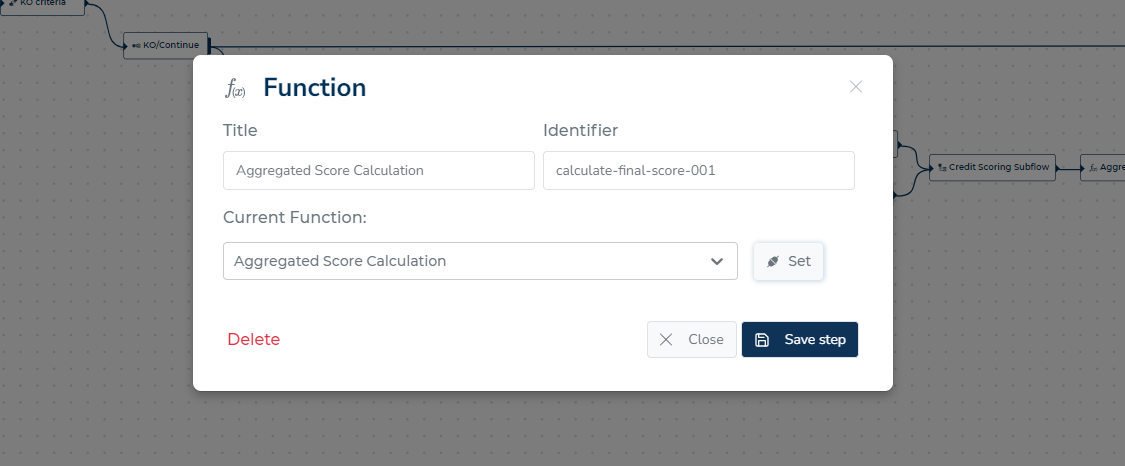
When defining the function decision step, you must choose which function the engine should carry out. After making your choice from the drop-down menu, click "Set" and then "Save step."
Fork
Check out more information about fork definition here.
Data sources
In the "data source" decision step, you can add additional data sources to be called simultaneously. This means that all of the listed data sources will be accessed at the same time.
The decision flow will resume execution once the engine has heard back from all of the data sources.
The overall execution of the decision flow is guaranteed to not take longer than is required because the engine can retrieve data from multiple sources simultaneously as a result of this parallel execution.
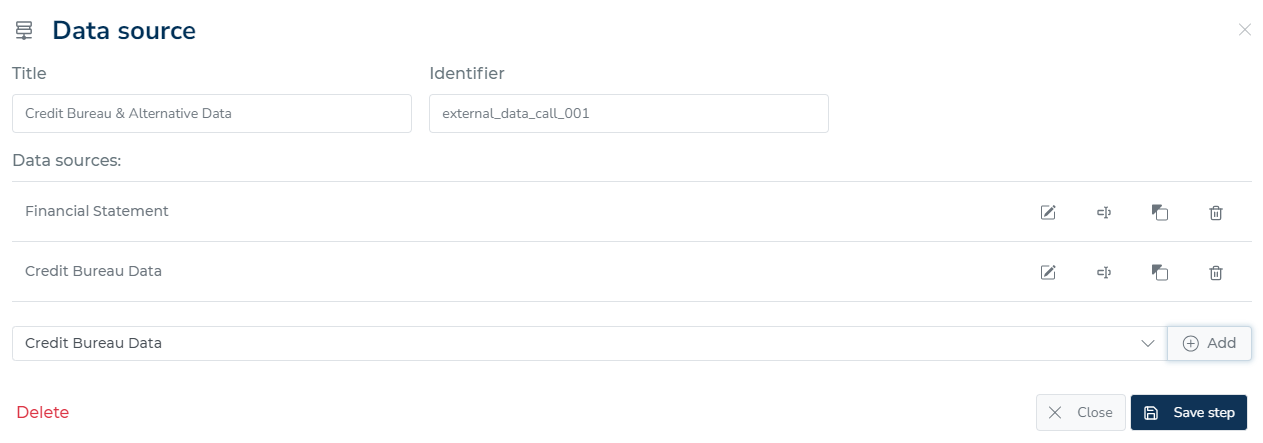
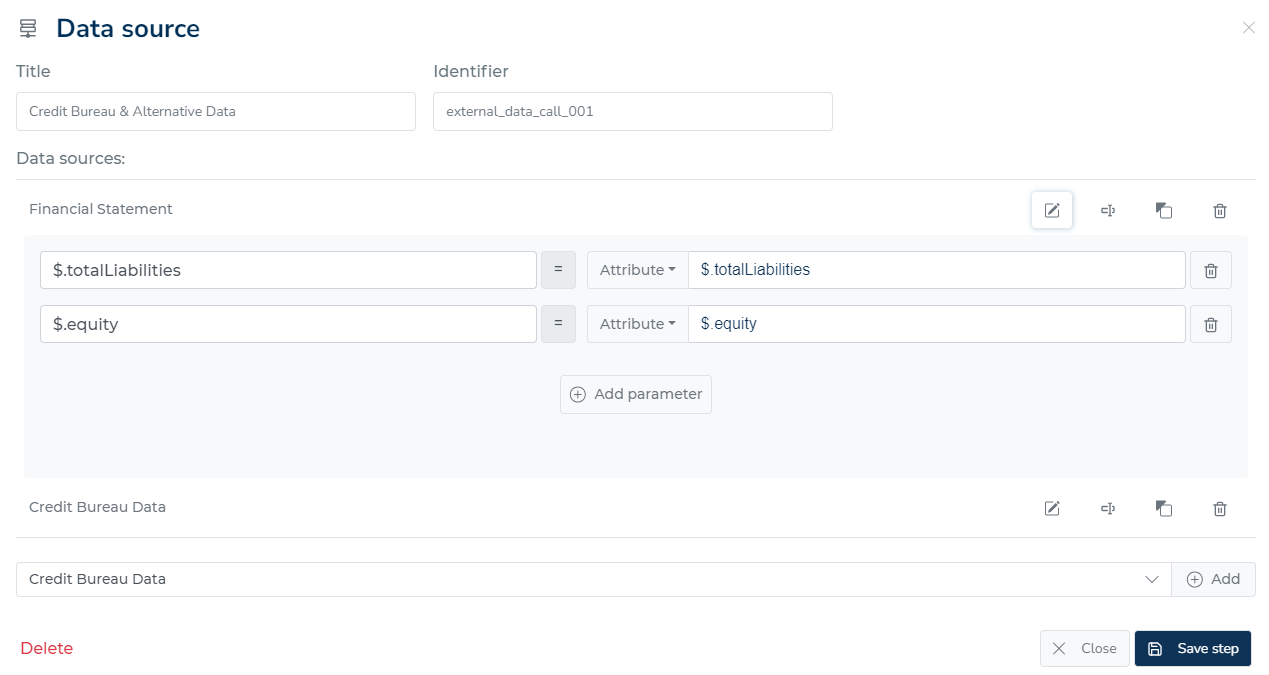
For each data source, you can specify which parameters to use and which data object values to pass to those parameters.
For instance, the "$.totalLiabilities" attribute from the data object is being used to fill in the totalLiabilities parameter in the example given. In order to retrieve the precise data you need, you can precisely specify which data should be accessed and sent to the data source.
Also you can copy data source you want and paste it to another step.
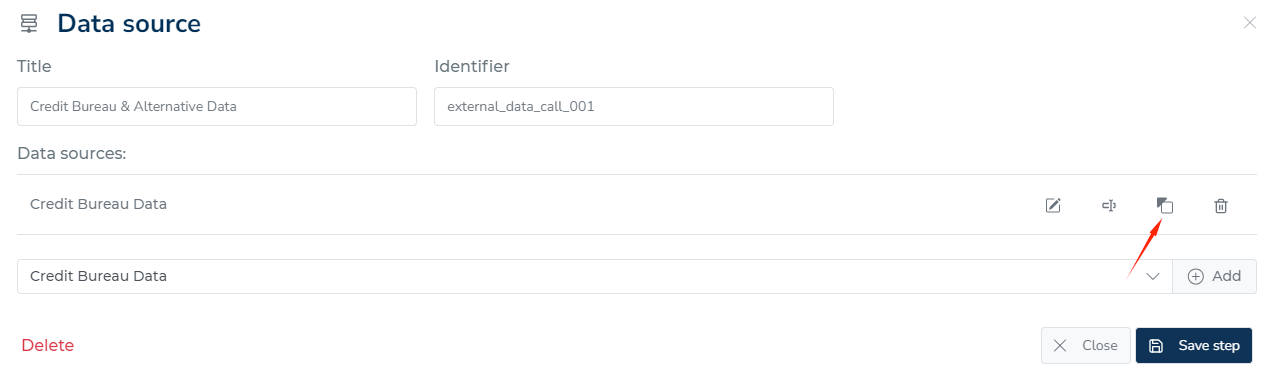
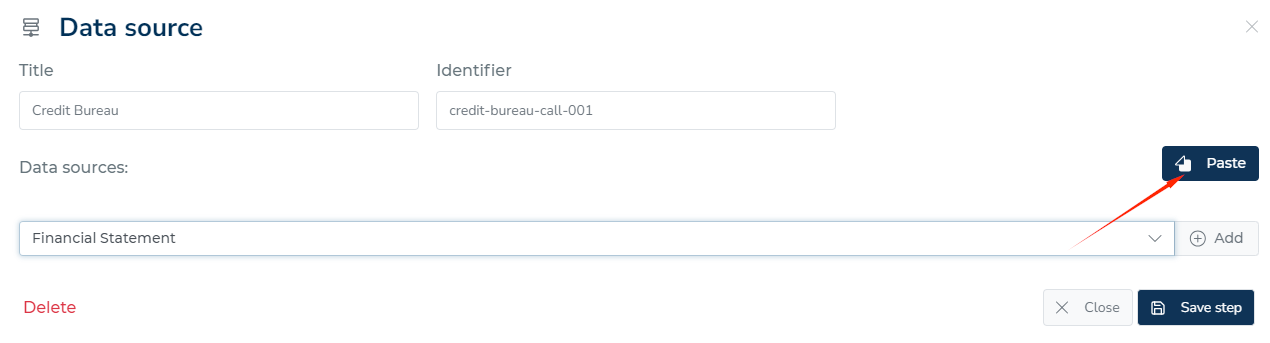
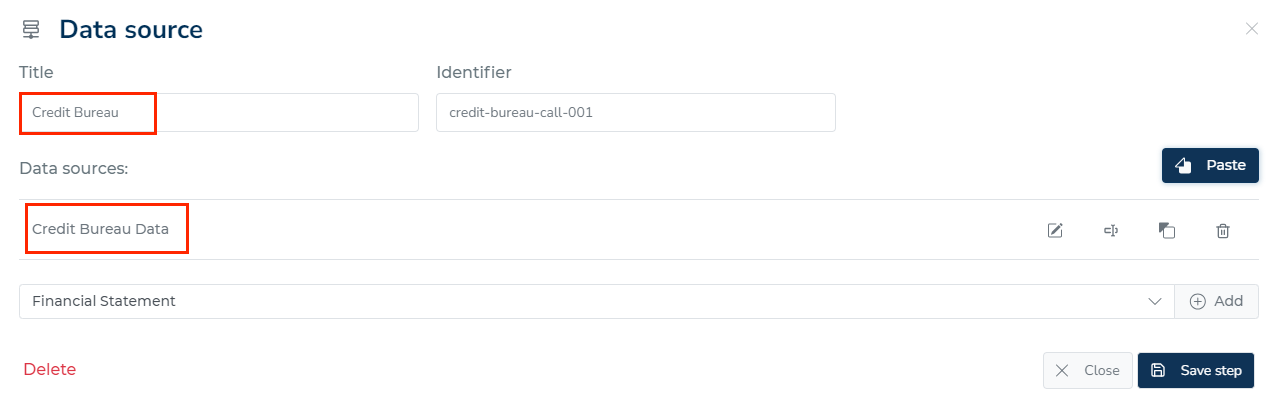
A data source in a step can also answer from a stored copy instead of calling the provider again. Click + Cache on the data source, say how old an answer may be, and save the step. The button appears only when a Data cache destination is enabled. See Caching provider responses.
Decision table
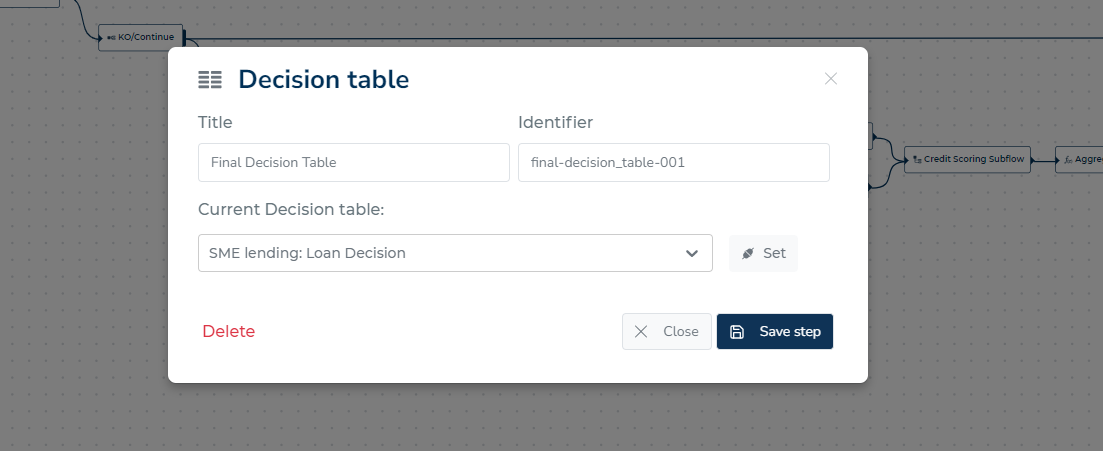
When defining the decision table decision step, you must specify which decision table the engine should use. After choosing an option from the decision table drop-down menu, click "Set." Click "Save step" after that.
Model
When defining the model decision step, you must choose which model the engine should employ. After making your choice from the drop-down menu model, click "set" and then "Save step."