To create a Endpoint, click the "Endpoint" tab, then click the "+API Endpoint" button. When you fill in Endpoint form, you can save the new Endpoint with CTRL+S key shortcut or with the Save button icon.
The API endpoint that communicates with your system is known as an endpoint. Endpoint serves as a holding area for decision-making and executes it in response to each request.
You are free to create an unlimited number of endpoints. The norm is to create an endpoint for your system's testing (staging) and production environments.
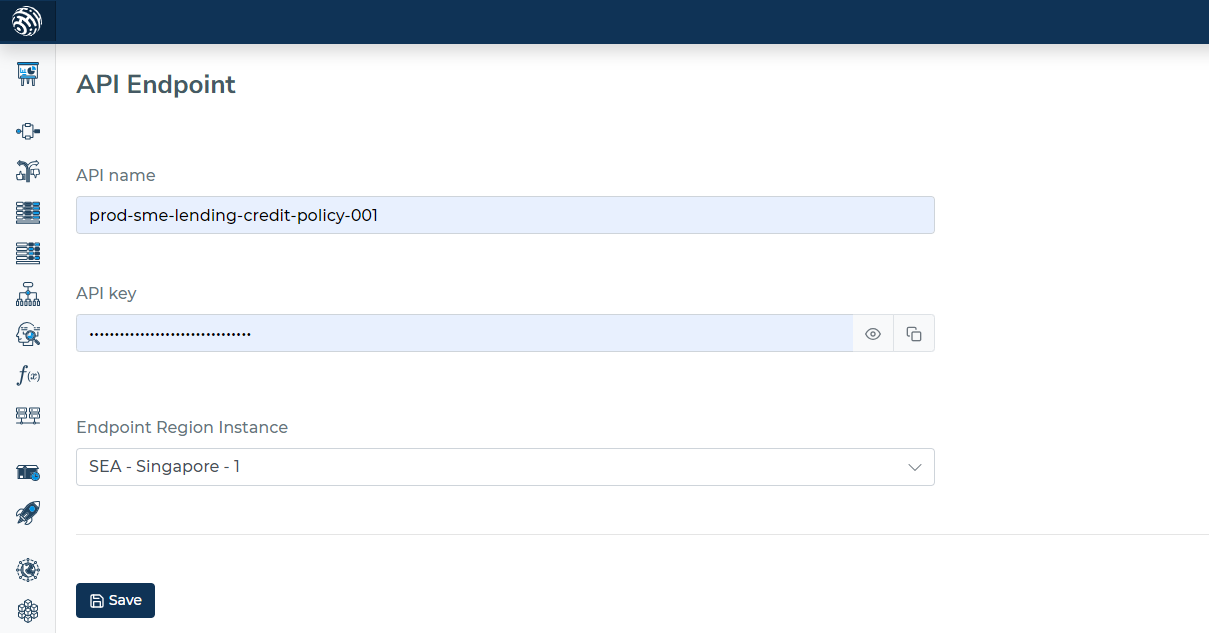
A different region can be used to create an endpoint. However, when a decision engine is used, where the speed of execution matters, the location of an endpoint is crucial. You can get in touch with us if there is a place or region that you would like to have because it is close to your own.
Limiting decision flow
Which decision flow release can be attached to an endpoint can be restricted. It eliminates the chance of routing decision flow to the wrong endpoint.
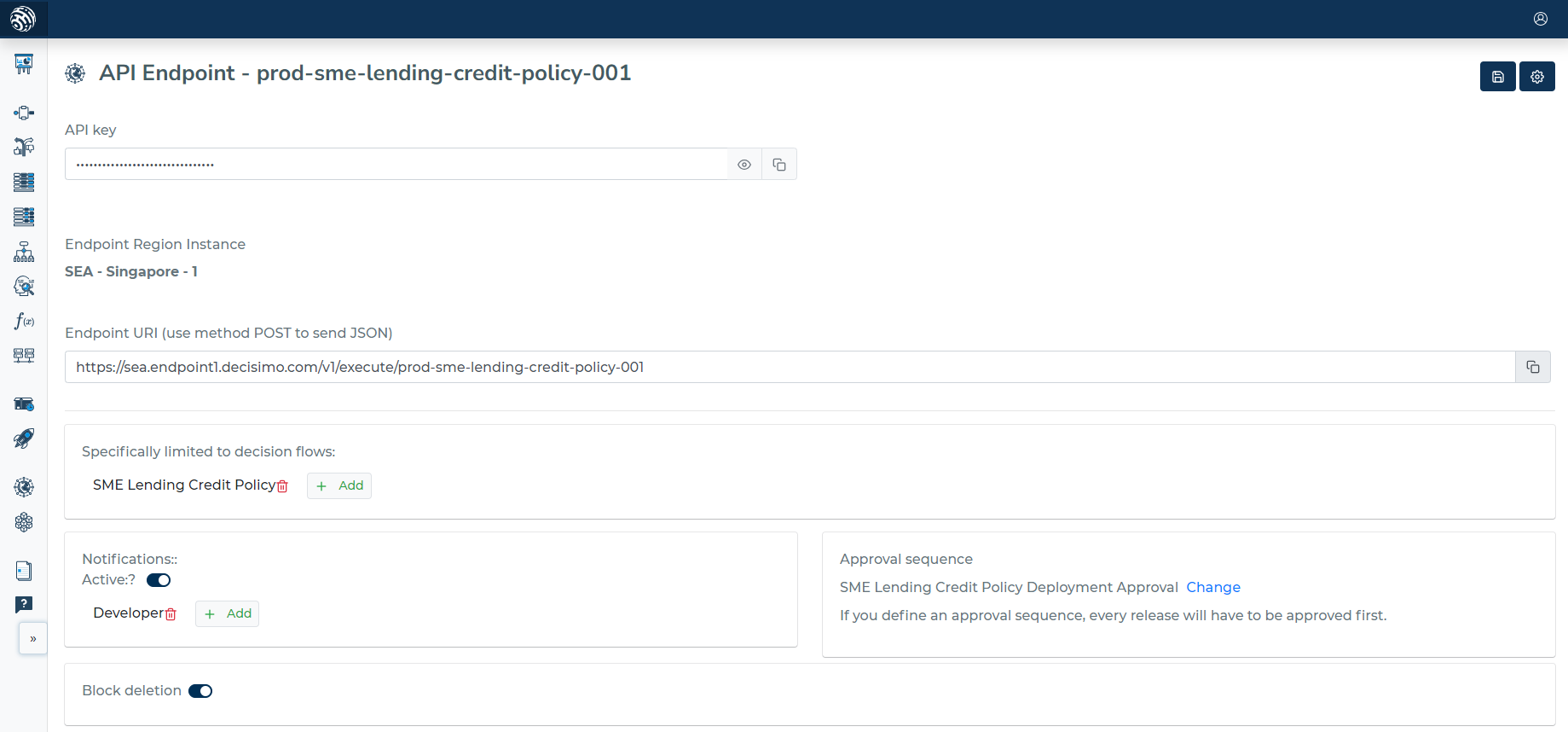
This is helpful if you want to avoid routing a decision flow to the wrong endpoint and have various business use cases.
Notification about deployments
Deployment is a process when you define which release should be used on an Endpoint. This is a process when decision logic changes and usually is important for business. As such, some people may need to be notified when a deployment is done. You can define which users are notified when a new deployment is done on an endpoint.
Only users that are registered can be notified. Each user will be notified via email.
Error Handling
501 Not Implemented
The 501 Not Implemented error occurs when a request type other than POST is sent to the endpoint. In the context of the decision flow system, only POST requests are implemented, and any other request methods (such as GET, PUT, DELETE, etc.) will result in this error.
How to Resolve
To resolve the 501 Not Implemented error, ensure that the client or system communicating with the endpoint uses the POST method for sending requests. Here's a general outline of how to do so:
-
Verify the request method being used in the client or system.
-
If a method other than POST is being used, update the request to use the POST method.
-
Ensure that the request payload and headers are properly formatted for a POST request, as per the endpoint's requirements.
-
Resend the request.
By following these steps and using the POST method, the 501 Not Implemented error should no longer occur.
Execution Time Limit
Each request has a 300s max execution time. Requests exceeding this are terminated.