A decision is what a case exists to produce. In the case design's Settings, you declare its decisions, and a running case completes when those decisions appear in its case file. The design does not close a case by hand. Instead, the presence of the declared decisions determines completion.
- The Decisions list
- Complete when: any or all
- Every decision needs a task that writes it
- When Release is disabled
- The decision package
The Decisions list
Open Settings, the last item in the studio's section menu. The Decisions list appears below the Title, Identifier, and Description fields. Each row names one decision, which can be written in either of two forms:
- a case file key or path, for example
$.decision. The decision is present once a task has written a value under that key. - a record type name, for example
decision. The decision is present once a record of that type exists on the case.
The field autocompletes from the design, offering the case file keys and paths already used by its tasks and record types, along with the record type names. Add decision appends a row. The small × removes a row after confirmation. As with every other Settings change, the list is stored with the header Save.
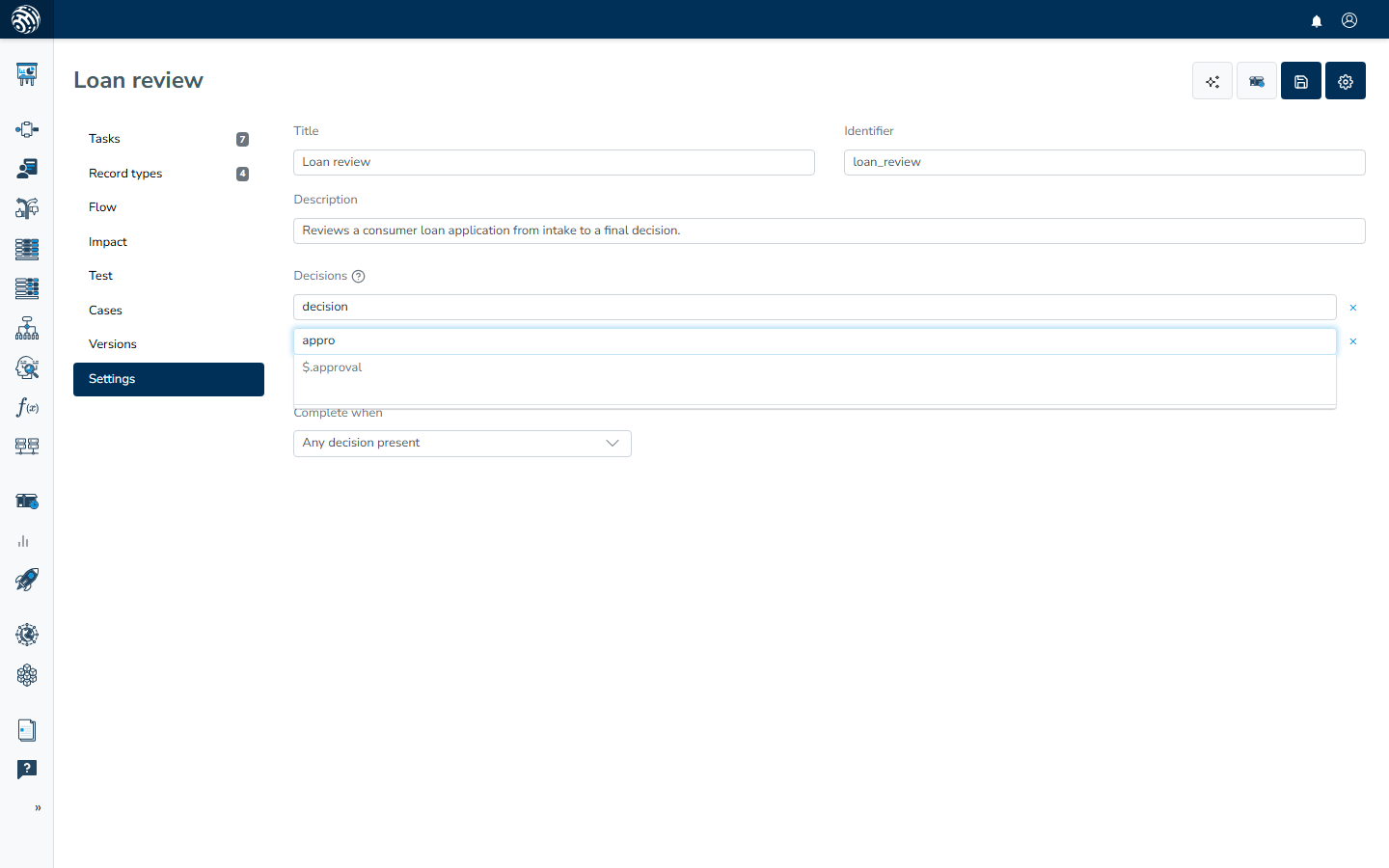
Completion depends on presence, not value. A decision $.decision is satisfied by "approved" or "rejected"; the value is available for people and downstream systems to read, but its presence completes the case. If a decision needs a finer condition, point it to a more specific path such as $.decision.status.
Complete when: any or all
The Complete when selector under the list determines how the decisions combine:
- Any decision present (the default): the case completes as soon as one declared decision exists. Use this for alternative outcomes, such as a design where either an approval or an early rejection ends the work.
- All decisions present: the case stays open until every declared decision exists. Use this when the case must produce several results, such as a verdict and a completed report.
With a single decision in the list, both modes behave the same way.
Every decision needs a task that writes it
If no task can produce a decision, every case would remain open forever. The studio checks this as you edit, so each decision must be reachable from a task's outputs. A task counts as producing a decision when any of these conditions applies:
- the task's Output key stores its result under the decision's key,
- a row in its Writes these attributes editor puts a value to key matching the decision,
- a row spawns a record (spawn record) of the decision's record type,
- the task creates records of that type another way, such as through a Human task field that collects records or files of that type.
Only the first segment of a path counts for the match. A decision $.decision.status is therefore considered produced by any task that writes under decision. The check confirms that something writes into that area of the case file, rather than requiring an exact match for the leaf. Writing to the case file covers task output configuration, and Human tasks covers collected fields.
The server enforces the same producibility rule again when you release, along with the rest of validation described in Releasing.
When Release is disabled
The Release button in the studio header stays disabled until the design can finish a case. Its tooltip identifies the reason:
- "Add at least one task before releasing." The design has no saved task. Add one in the Tasks section and save.
- "Define at least one final decision before releasing." The Decisions list is empty. Declare at least one decision in Settings.
- "This decision is unreachable. No task produces it", followed by the decision. No task output writes that key or creates that record type. Give a task an output that produces it, or remove the decision from the list.
After all three checks pass, Release opens its confirmation, and the server runs the full validation described in Releasing.
The decision package
Every case detail in the Cases section has a Decision package button. It downloads one JSON file, named case- plus the first characters of the case id. The file contains the complete story of the case: its summary and records, the case file, its tasks, the activity, and the events. For a completed case, this package records how the decision was reached and is ready to hand to an auditor or attach to an external system.
The button is available for any case, including open ones. For an open case, the package shows its state so far. Reviewing live cases covers portal review, including per-key case file history and the document viewer.