Release turns the current case design draft into a runnable version. It validates the complete design, saves a snapshot under a release name, and sends that snapshot to every execution node that runs cases. New cases start on the released version. The draft in the studio remains editable, so anything you save afterwards leaves the existing release unchanged.
You can also try a design before releasing it. The Test studio runs scenarios directly against the draft.
- What Release does
- When the button is disabled
- Releasing a design
- Validation errors
- Warnings that release anyway
- Delivery to execution nodes
- When the runtime is behind
What Release does
A release is a complete snapshot of the design at the moment you pressed the button. It includes record types, tasks, conditions, writes, and decisions in one package. The release takes its name from the design's identifier and a timestamp, for example loan_review_2609011432. It appears in the Versions section under Releases, where you can compare and view it like any other version.
Once the snapshot is stored, the platform pushes it to each execution node set up to run cases. Snapshot and delivery are separate on purpose: the release remains in your history even if a node cannot be reached at that moment.
When the button is disabled
The Release button in the studio header stays disabled until the design can produce something. Hover over it to see why:
- "Add at least one task before releasing." The design has no saved task, so releasing it would do nothing.
- "Define at least one final decision before releasing." No decision is declared in Settings, so a case could never complete. See Decisions and completion.
- "This decision is unreachable. No task produces it", followed by the decision names. A decision is declared, but no task writes it. Point a task's output at the decision, such as a result key, a write to the case file, or a task that produces a record of that type. You can also correct the decision's spelling.
Releasing a design
Press Release to open the confirmation prompt: "Release a new version of" followed by the design's title. Confirm with Release.
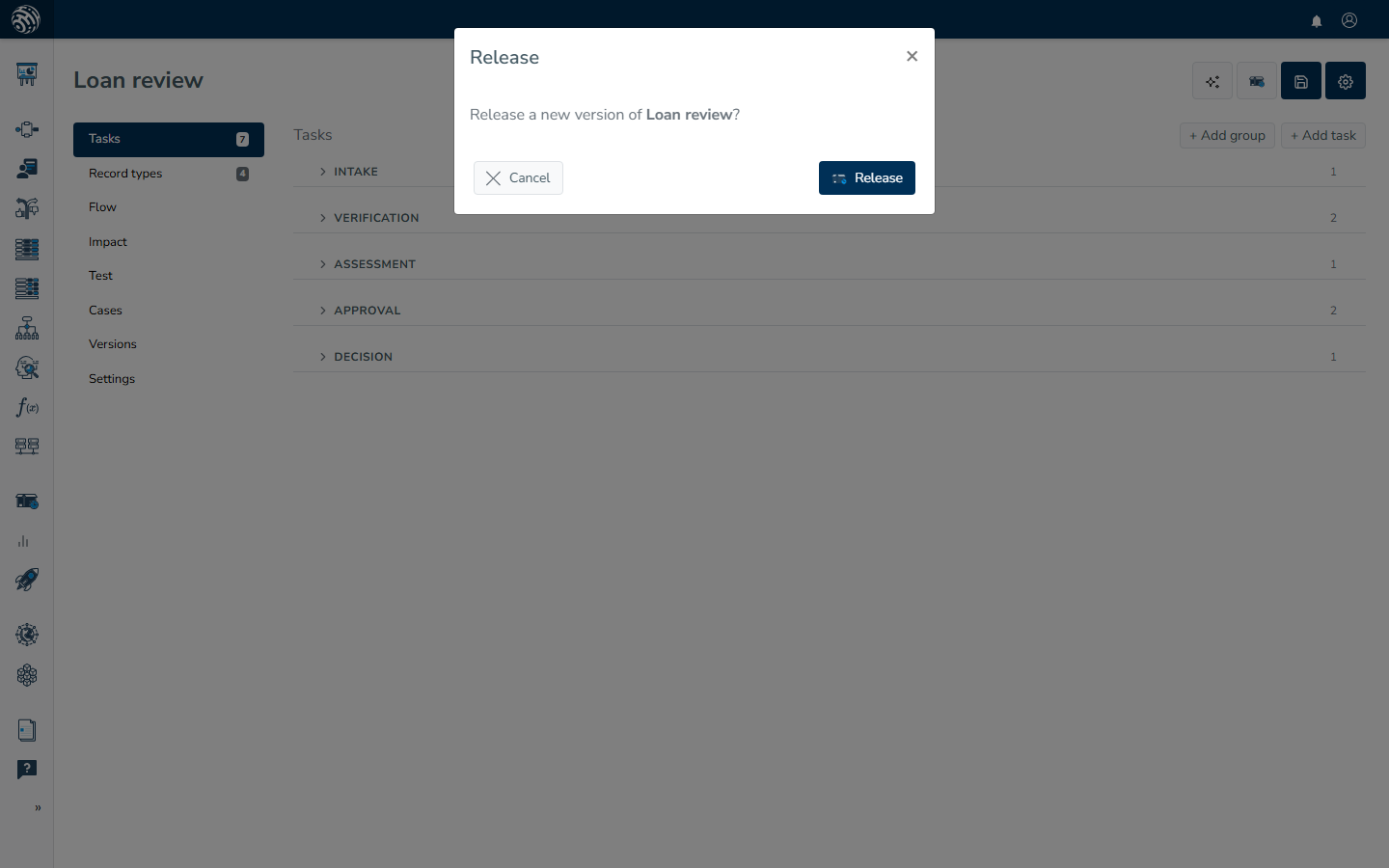
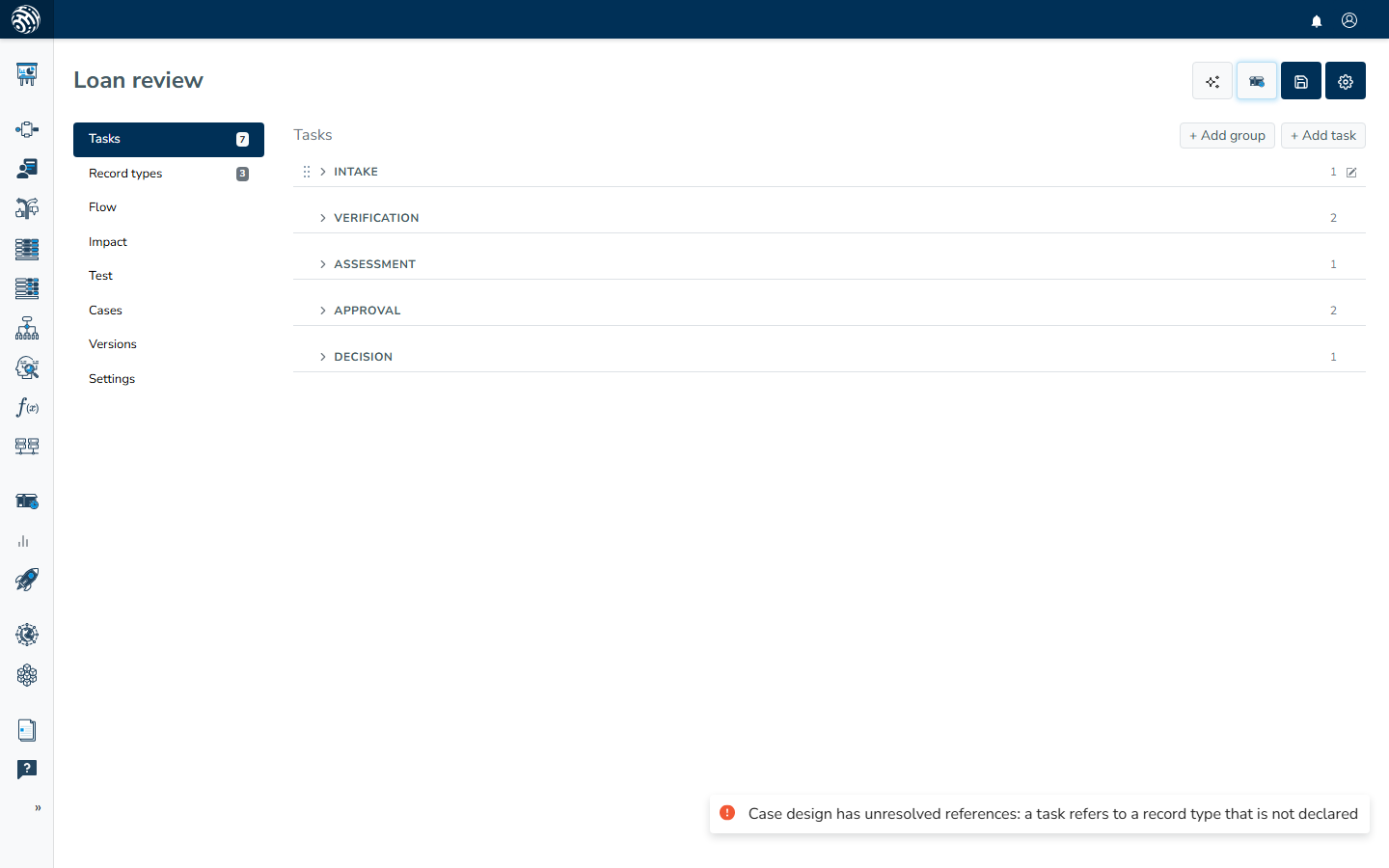
The server then validates the complete design. If everything passes, a green notice says "Case design released." If validation finds errors, nothing is published. Instead, a red notice appears: "Case design has unresolved references", followed by each reason. The sections below explain those reasons and their fixes.
Validation errors
These checks run on the server every time you release. Each row gives the on-screen message, its cause, and the fix.
| Message | What causes it | Fix |
|---|---|---|
| "the design has no decision" | No final decision is declared. | Add at least one decision in Settings. |
| "a decision names nothing" | A decision entry is blank. | Remove the blank entry or give it a name. |
| "the decision list is not readable" | The stored decision list is damaged, usually after an import or an edit made through the API. | Re-enter the decisions in Settings and save. |
| "no task produces the decision" | No task writes the key the decision names, and no task produces a record of that type, so the case could never complete. | Point a task's output at the decision, or correct the decision's name. |
| "the decision mode must be any or all" | The Complete when setting holds something other than Any or All. | Pick Any or All in Settings and save. |
| "a task has no entity to run" | An automated task (Decision logic, AI, Document OCR, External data) has nothing selected to run. | Open the task and pick what it runs. See Automated tasks. |
| "a task refers to an unsupported entity type" | What the task points at does not match its task type, for example an AI task pointing at a rule set. | Pick an entity of the kind the task type expects. |
| "a task refers to an entity that no longer exists" | The rule set, decision table, model, or other entity a task runs was deleted after it was picked. | Open the task and pick an existing one. |
| "collects answers but does not say where they go" | A Human task collects fields, but its writes do not cover them, so the answers would be lost. | Add a write for each collected field, or store the whole answer under one result key. See Writing to the case file. |
| "a task refers to a record type that is not declared" | A task runs for each record of a type, or produces a type, that is not on the Record types list. | Add the record type, or correct the name on the task. |
| "a task refers to an attribute the record type does not declare" | The attribute a task reads or fills is missing from that record type. | Add the attribute to the record type, or correct the name. |
| "a condition is missing something it needs" | A condition on a task lacks a required part: the path or record type it checks, the value to compare, the list of values, or the hours. | Open the task's conditions and complete the condition, or remove it. See When a task runs. |
| "a task waits on a condition this engine cannot evaluate" | The condition's kind is not one the runtime knows, which normally only happens to imported designs. | Rebuild the condition in the editor. |
| "a condition compares against a record rather than a value" | The compared value points at a whole record instead of a single field. | Name the field inside the record, for example $.applicant.income rather than $.applicant. |
| "a task stamps a value the engine cannot read" | An "Also write on every record" template contains a broken {{ }} token: unclosed braces, an empty token, an unknown helper, or a helper given the wrong number of values. | Fix the template on the task's write. |
One further check has its own message, "two tasks share the same internal result name, so rename one to keep their results apart": two task names reduce to the same internal result name. For example, kyc-check and kyc check would both write $.output.kyc_check, causing one result to overwrite the other. Rename one of the tasks.
Warnings that release anyway
Some findings do not block a release. The design is published, the green "Case design released." notice appears, and an amber notice follows: "Published, with something to check", with the reasons.
- "a record type is keyed on a value that may be missing". A task stamps a record type's identity attribute from a
{{ }}token that is not guaranteed to resolve. If the token is empty at runtime, records of that type can no longer be told apart reliably. Key the record type on an attribute that is always filled, or stamp it from a value that always exists.
Delivery to execution nodes
The snapshot is pushed to every execution node marked as running cases. Each node reports its own result, so one unreachable node does not undo the release. The release remains in your history. Release again after the node is back, or check the node's setup.
If no execution node runs cases for your tenant, the release is still recorded, but nothing receives it and no case can start. Set up a node and a case destination as described in Runtime setup, then release again.
When the runtime is behind
A release may require a newer layout for the case runtime database than the layout a node currently holds. When that happens, screens that read live cases show: "The case runtime database is behind this release and cannot be read. Release the case design again to migrate it." A related note names the versions: "Runtime v2, release needs v3."
The fix is in the message itself: press Release again. Releasing sends the current layout with the snapshot and brings the runtime up to date.