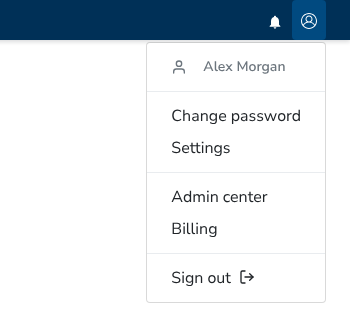
To change your password, go to Settings → Change Password.
The form asks for your current password, your new password, and the new password again.
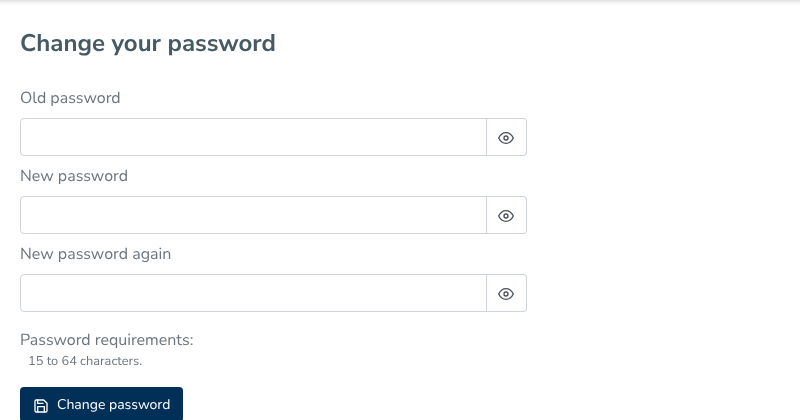
Password requirements
Your password must be 15 to 64 characters long. You can use any characters, including spaces.
There are no requirements for uppercase or lowercase letters, digits, or symbols. A long passphrase made of ordinary words is a good password.
Each new password is checked against passwords found in known data breaches. The check uses the Pwned Passwords service with k-anonymity. Only the first five characters of your password’s SHA-1 hash leave Decisimo. Decisimo checks for a match, and your password itself is never sent.
If a password is refused, the form gives the reason. It may be shorter than 15 characters, longer than 64, too close to your name or email address, too close to the word Decisimo, or found in a data breach. Adding digits or symbols to Decisimo does not make it a different word. If the breach check cannot be reached, your password is accepted if it meets the length and name checks.
You do not need to change your password on a schedule. You can change it when you choose, or an administrator can set a new one for you. The same rules apply when you reset a forgotten password, change your password, or an administrator sets your password. Signing up does not ask for a password.
These rules are aligned with NIST SP 800-63B, revision 4, section 3.1.1.2. They include a blocklist of breached, common, and context-specific passwords, give a reason when a password is refused, require no character-composition rules, and require no periodic changes. The minimum length is 15 characters for a password used on its own.