Approval Sequence acts as a control mechanism, ensuring a release cannot be deployed to production without approval. After defining the approval sequence, the approval process starts when deploying the release to an endpoint. The endpoint specifies which approval sequence to initiate upon deployment.
Steps to create an approval sequence:
- Click the “User Settings” icon, select “Admin center”, and click “APPROVAL SEQUENCE”;
- Click “+Approval sequence” to create a new approval sequence;
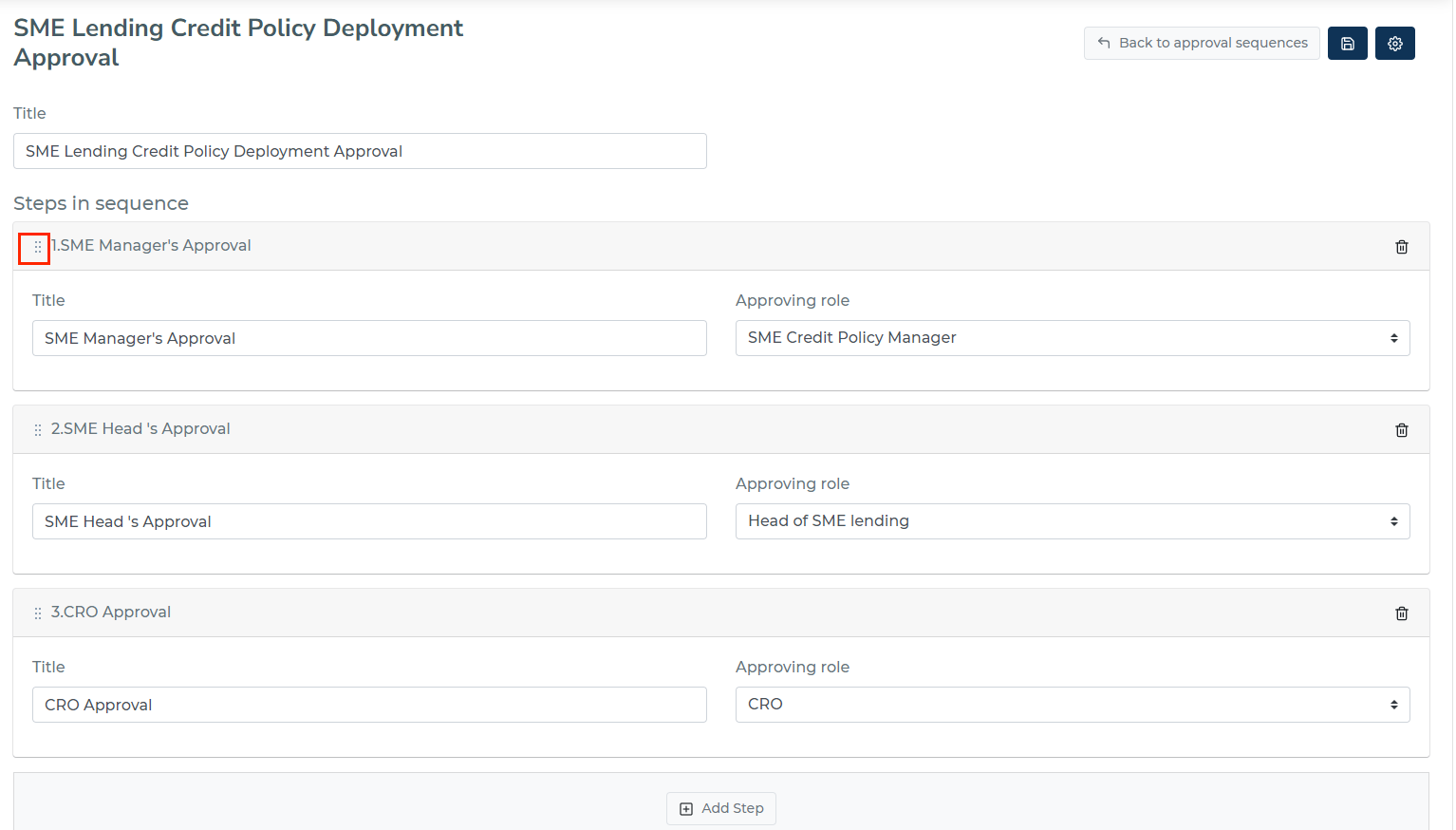
- Enter a title for the approval sequence;
- Add the required steps for approval;
- Enter a title and assign an approving role for each step;
- Save the approval sequence.
You can adjust the order of steps in sequence by dragging the six dots at the left of each step.
Steps to set the approval sequence for a release:
- Define the approval sequence for the release;
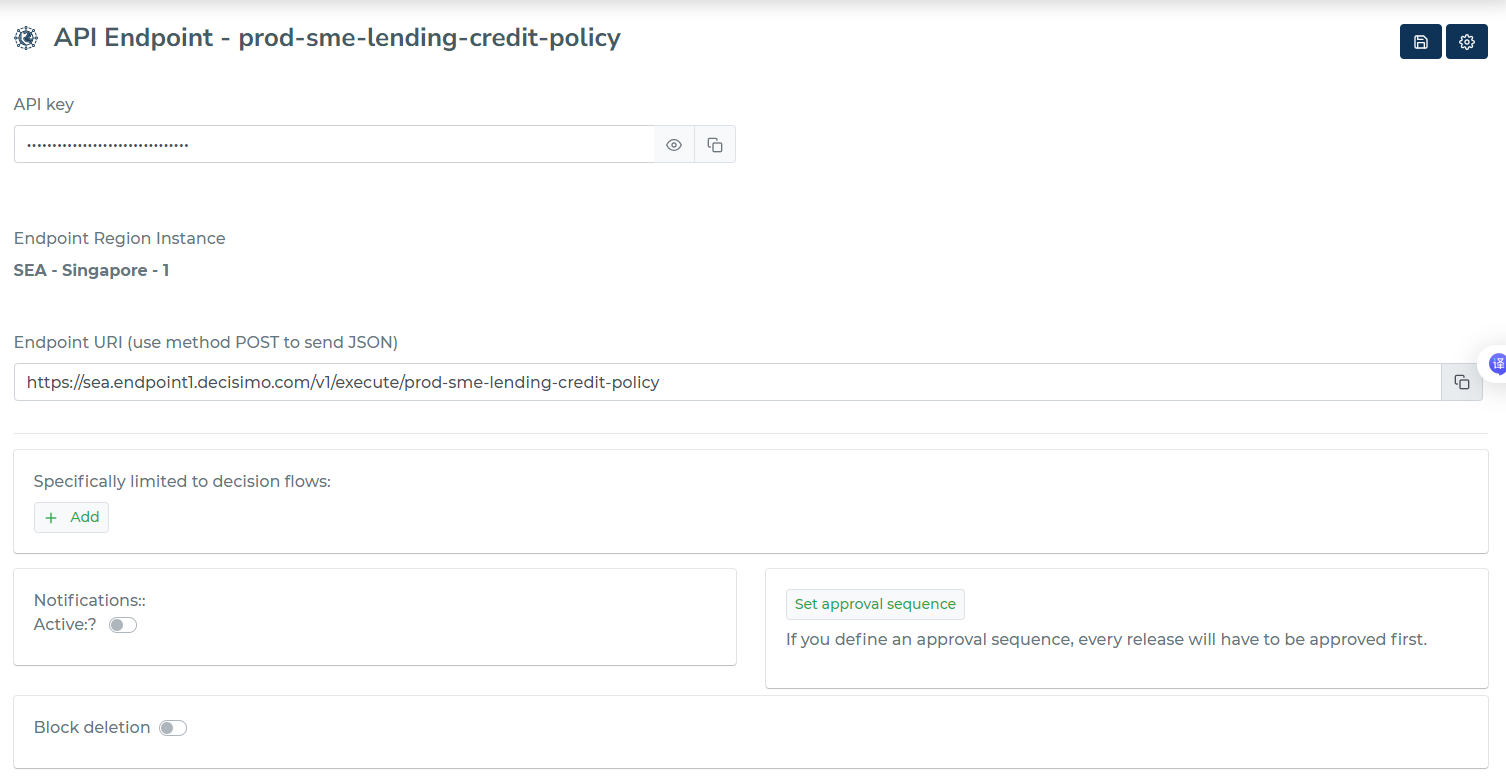
- Assign the approval sequence to the relevant endpoint;
- Navigate to “Endpoint”, and select the endpoint where the release will be deployed.
- Click “Set approval sequence”, then select the approve sequence you just created for the release.
- Deploy the release to the endpoint and run the approval sequence.
Only when approval sequence for a release is finished, the deployment to an endpoint can be done.