This functionality allows users to import rules from one ruleset into another. It’s useful for reusing established rules in different contexts or datasets, saving time and effort in rule creation.
Steps to Copy Rules
-
Navigate to Destination Ruleset:
- Open the ruleset where you want to import the rules.
-
Access Copy Feature:
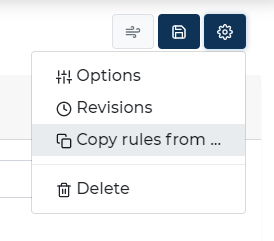
- Click on the 'Settings' button within this ruleset.
-
Initiate Copy Process:
-
In the settings menu, select the option 'Copy rules from'.
-
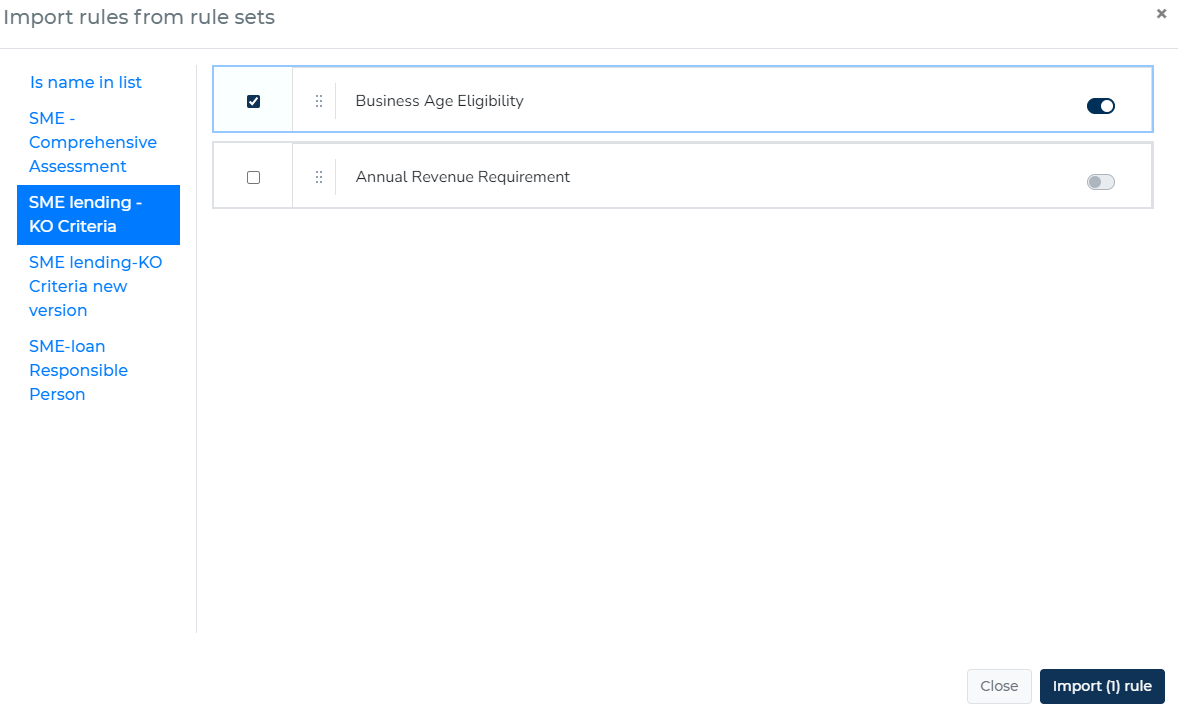
A new window will pop up, displaying a list of available rulesets from which you can copy rules.
-
-
Select Source Ruleset:
-
Choose the ruleset from which you want to copy rules. This will display the rules available in the chosen ruleset.
-
-
Select Rules for Import:
-
Browse through the list of rules and select the ones you wish to import into your current ruleset.
-
You can select multiple rules as needed.
-
-
Import Rules:
-
Once you have made your selections, click the 'Import Rules' button.
-
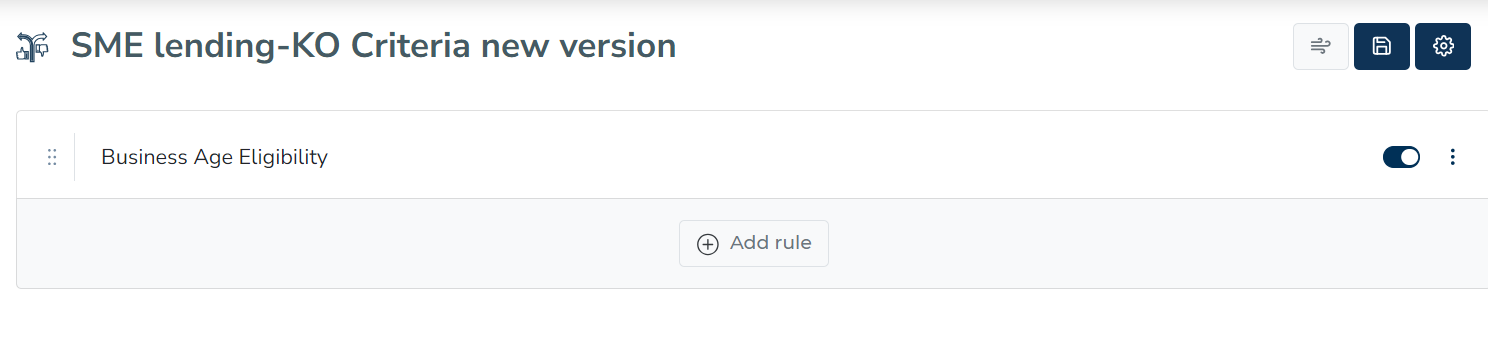
The selected rules will be copied and added to your current ruleset.
-