Decision Flow
A decision flow is where decision logic lives and runs. It is a sequence of steps. Each step evaluates or calculates something, and the flow runs them in order, from Start to End, every time it is called.
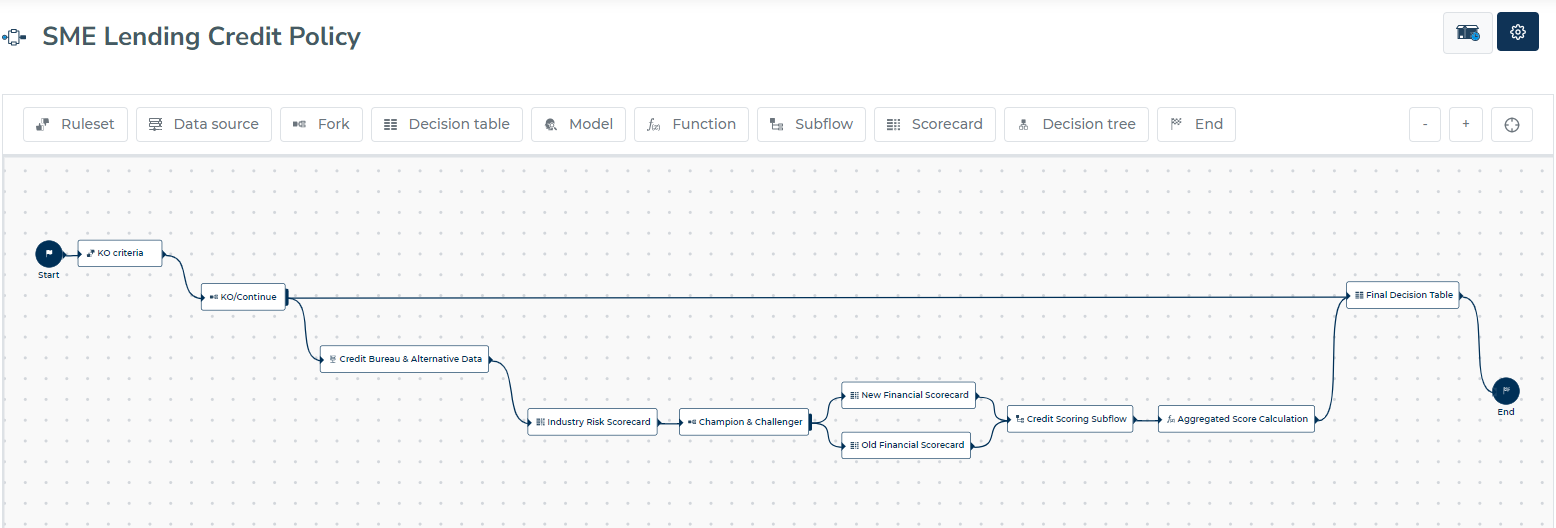
Understanding Decision Steps
Your decision flow consists of various types of steps, each serving a specific purpose in the decision-making process:
Business Logic Steps
- Rule sets - Apply business rules and policies
- Decision tables - Matrix-based decision logic
- Decision trees - Branching decision paths
- Scorecards - Risk scoring and assessment
- Functions - Mathematical calculations and data transformations
- Models - AI/ML model predictions
Flow Control Steps
- Start - Every flow begins here (required)
- Fork - Split processing into parallel paths
- Data source - Pull external data into your flow
- Sub-flow - Execute reusable decision components
- End - Terminate processing (optional)
Steps can be combined in any order the logic needs.
Building Your First Flow
To create a decision flow:
- Start Fresh: Click "Decision flows", then "Create a decision flow"
- Configure: The system generates a name and ID automatically
- Customize: Click "Decision Flow Settings", then "Options", to change the details

Flow Configuration
The configuration modal lets you:
- Change the flow name and unique identifier
- Add a description for documentation
- Enable deletion protection for critical flows
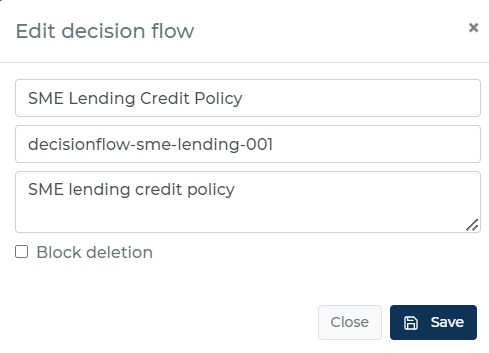
Enable "Block deletion" on flows that are in production. A flow with deletion blocked cannot be removed until the option is turned off.
Working with Steps
Adding Logic
Double-click any step to configure its behavior. Each step type has its own configuration interface tailored to its specific function.
Connecting the Flow
Link steps by dragging from the output port of one step to the input port of another. This creates the execution path your data will follow.
Remember:
- Most steps have one output (except Fork steps)
- Steps can have multiple inputs
- Every flow needs a Start step
Managing Steps
Copy and paste steps within the same flow or between different flows:
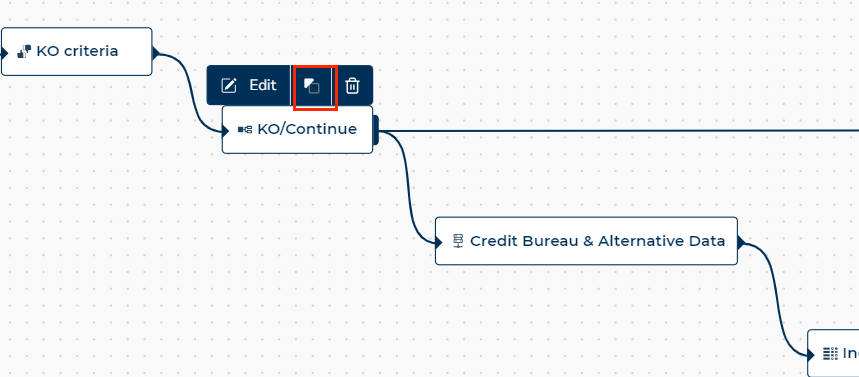
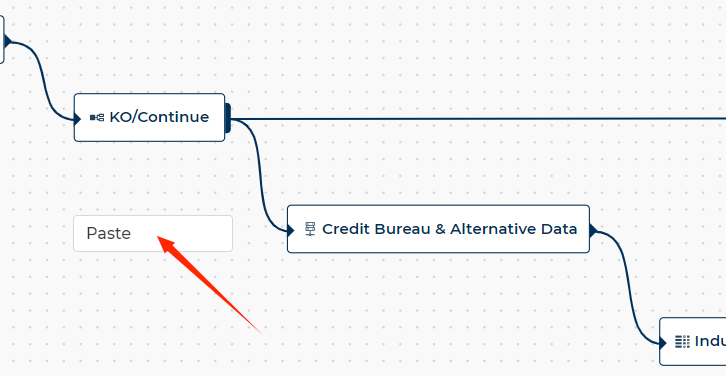
When you copy a step, its configuration is copied with it.
Best Practices
Keep it Simple: Start with basic flows and add complexity gradually. A working simple flow is better than a complex broken one.
Name Everything: Give your steps descriptive names. "Credit Check" is better than "Step 1".
Document Decisions: Add descriptions to complex steps explaining the business logic.
Test Early: Validate your flows frequently during development.
Plan for Growth: Design flows that can be extended as requirements evolve.
Related Documentation:
- AI Decision Assistant for decision flows - Manage your flow through a chat conversation
- Defining Decision Steps - Step configuration details
- Currency Handling Guide - Working with monetary values
- Data Flow Rules - Advanced data processing