The Impact analyzer answers one question about one artifact: if this rule set, decision table, decision tree, scorecard or function had been the other revision, which decisions would have come out differently? It runs both revisions inside the decision flow that uses them, over the same rows, and shows you what moved.
- Opening the analyzer
- Choosing the decision flow
- Comparison data
- The two revisions
- Adding an analytics recipe
- Running it
- What is held constant
Opening the analyzer
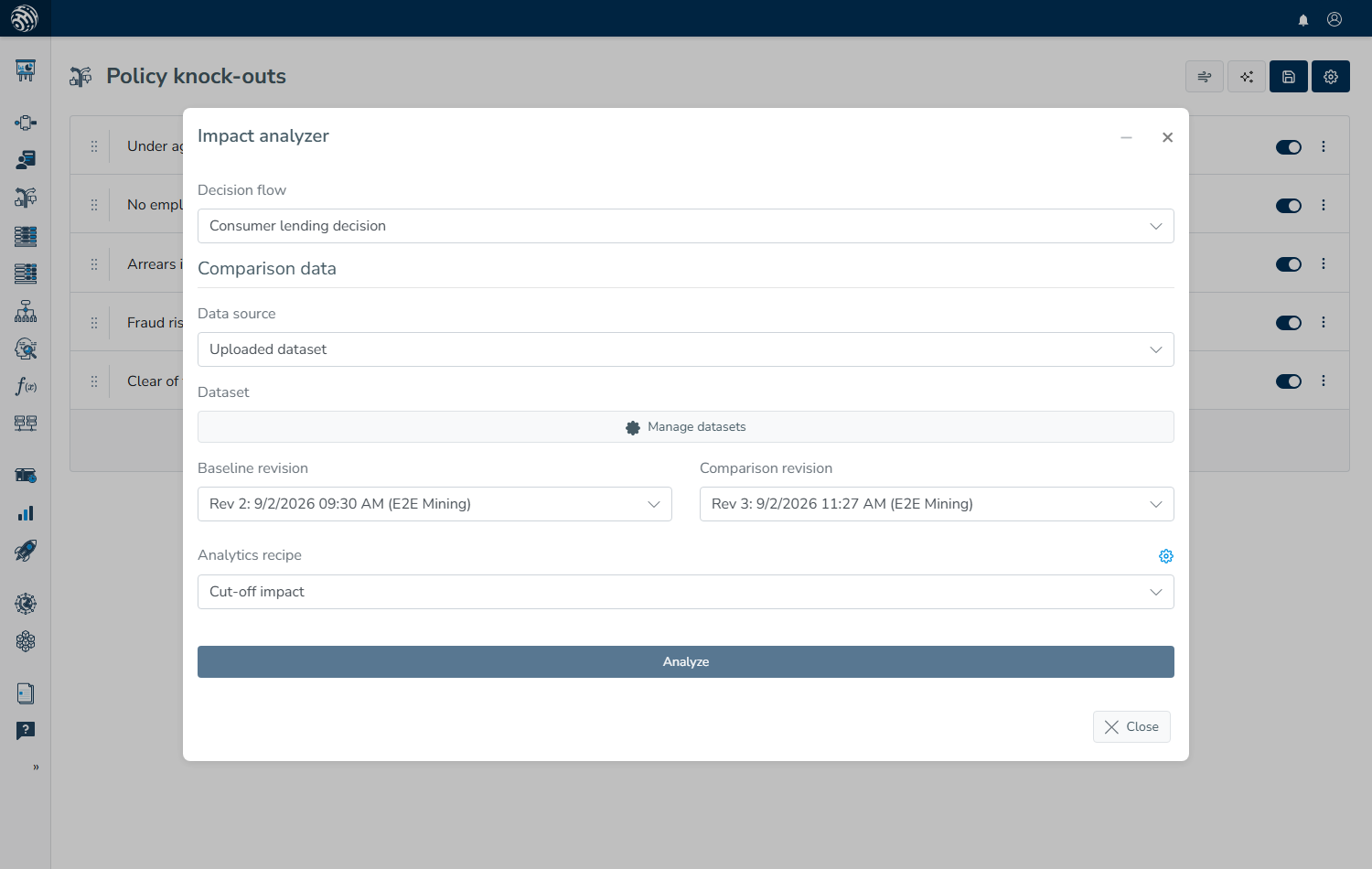
Open the artifact and choose Impact analyzer from its settings menu. The analyzer opens as a panel beside your work, where you can minimize it and return to it while the comparison runs.
It is available on rule sets, decision tables, decision trees, scorecards and functions. To compare a whole release rather than one artifact, use Backtesting a release on production data instead.
Choosing the decision flow
A rule set on its own does not produce a decision; the decision flow around it does, which is why the first field is Decision flow and lists the flows in which this artifact is used. The analyzer takes that flow, places the chosen artifact revision into it, and runs the result, so comparing two revisions produces two versions of the whole flow that differ in exactly one place.
If the list is empty, the artifact is not yet used by a flow, so there is no flow in which to compare it.
Comparison data
Comparison data offers two sources.
Uploaded dataset runs the comparison over a file you provide. Use Manage datasets to add one; datasets are held in your browser, so they remain on your machine and do not survive being cleared. Each line is a request payload shaped exactly like the payload your endpoint receives, and the analyzer sends every row through both flow versions. Rows are processed one at a time as you watch, which suits a few hundred rows but becomes slow well before a few thousand.
Decision archive (production data) runs the comparison over real requests that your flows have already answered. Choose a window with From and To, set a Row limit, and optionally choose a Realized outcome; Preview matching rows shows how many rows the window contains before you commit to it. The comparison runs on the server and continues if you close the page.
The archive option remains greyed out with "Connect a decision archive to analyze production data" until an archive destination exists. See Production data and outcomes.
The two revisions
Baseline revision is the revision you are comparing against, while Comparison revision is the candidate. Both lists contain the stored revisions of this artifact, with the newest first.
For an archive comparison, you can also tick Use recorded decisions as baseline. This skips running the baseline and compares the candidate with what production actually returned at the time, which is faster and reflects the production result; production did, however, run with its own data sources answering, so a difference can come from a bureau reply rather than from your revision. If you leave the box unticked, the analyzer replays both sides under identical conditions, making each difference attributable to the revision itself.
Adding an analytics recipe
An Analytics recipe adds your own measures to the result, such as average expected loss by decision or approved amount by product, according to whatever the recipe defines. Without one, the result still shows which decisions changed. See Analytics Recipes for building them.
Running it
Analyze stores the comparison and starts it. A dataset run reports progress row by row in the panel, whereas an archive run is queued for the background worker, appears in Analyses, and is tracked by the panel until it finishes.
In both cases, the result opens in the same panel; Reading an analysis result explains what it contains.
What is held constant
Both sides run against the same rows, in the same flow and with the same settings, with external data sources switched off. This matters because the analyzer does not call your bureaus: values that would have come from a data source must be present in the rows themselves, which is why archive rows work well, since they contain the whole request as it was received.
A row whose run cannot complete is counted as an error and left out of the comparison rather than being reported as an unchanged decision.