Every decision your decision flows make in production can be written to a database you own, the decision archive, which Analysis reads to answer questions about what a change to your logic would have done, whether the decisions turned out well, and what rules or scores the history itself suggests. Nothing here runs against live traffic, and no analysis changes a deployed release on its own.
- What you can ask
- What you need first
- Where analysis lives
- How a run works
- One loop, not five features
- Words these screens use
What you can ask
| Question | Where you ask it | What comes back |
|---|---|---|
| What would this change have done to real applications? | Release, Batch test tab, source Decision archive (production data) | Every decision that would change, and how the ones that changed actually performed |
| What would this revision of one rule set, table, tree, scorecard or function have done? | The entity's settings menu, Impact analyzer | The same comparison for one artifact, over an uploaded file or the archive |
| Which rules does this history suggest? | Release, Rule mining tab | Candidate conditions with their bad rate, lift and how many extra bad cases they would catch |
| What score does this history support, and where should the cutoff sit? | Analyses → Policy mining | A scorecard with its bins and points, a cutoff curve, and the record behind both |
| What policy produced these recorded decisions? | Analyses → Policy mining, with a Recorded decision path | The knock-outs, eligibility rules and cutoff that reproduce the record, and how much of it they reproduce |
Each answer can become a proposal: a new revision of the entity your decision flow already runs, with a backtest that checks the proposal before anyone releases it.
What you need first
Analysis over production data needs a Decision archive destination, because that is where the rows come from, and questions about how decisions turned out also need an Outcome history destination holding what happened afterwards. Both are described in Production data and outcomes.
Without an archive, the Decision archive (production data) option is greyed out and the page says "Connect a decision archive to analyze production data", while the Rule mining tab does not appear at all; you can still compare revisions over an uploaded dataset through the Impact analyzer.
Where analysis lives
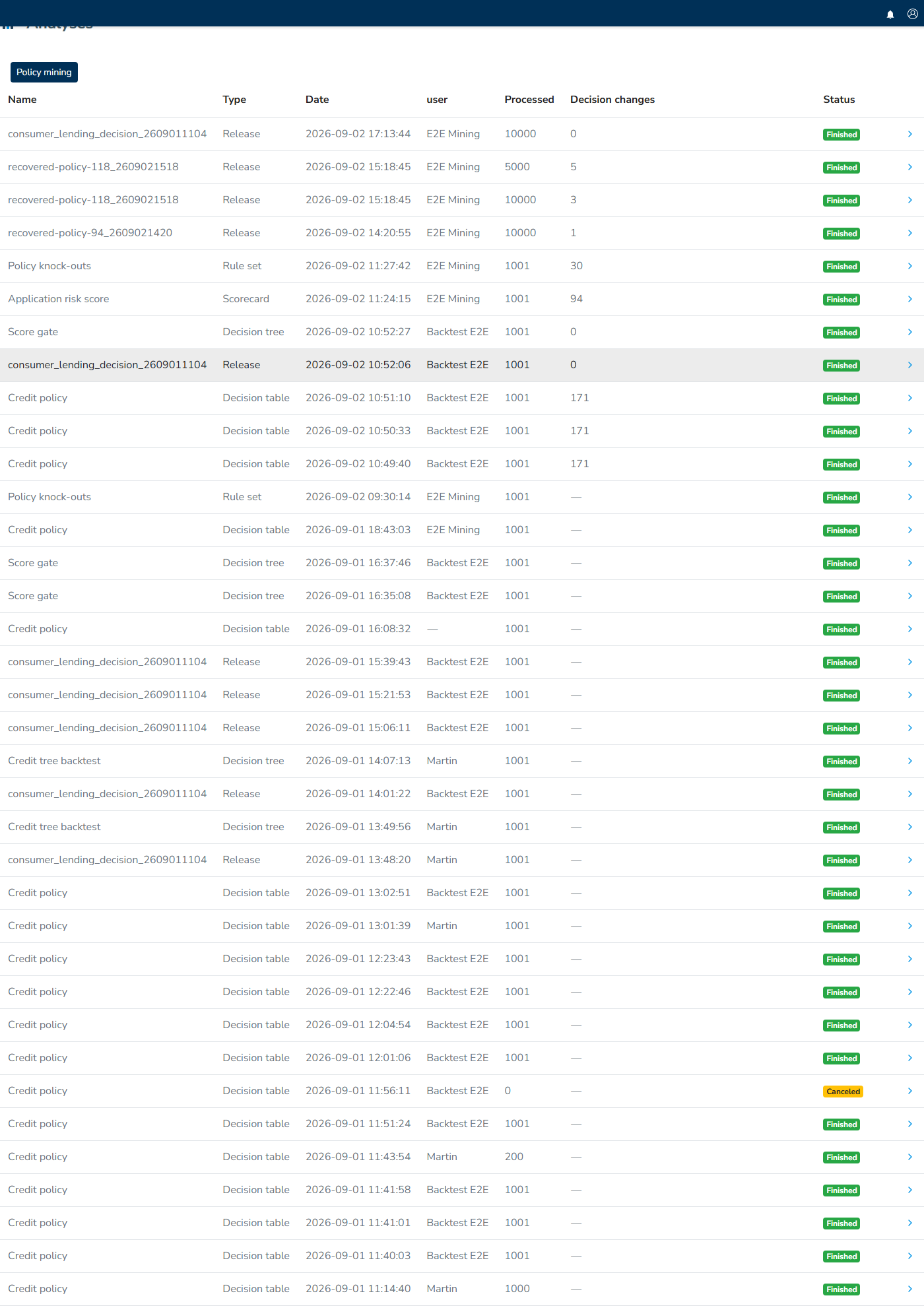
Analyses in the left menu lists every run started, newest first, regardless of whether it began as a backtest on a release, an impact comparison on one entity, a proposal's automatic check, or a case design replay. Each row shows what was analysed, when and by whom, how many rows were processed, how many decisions changed, and the run's status; opening a row takes you to its results.
Policy mining sits behind the button at the top of that page and holds the pipelines that build scorecards, cutoffs and recovered policies.
Inside a release, the Batch test tab runs a backtest and the Rule mining tab mines rules. On a rule set, decision table, decision tree, scorecard or function, the settings menu carries Impact analyzer, which compares two revisions of that one artifact.
How a run works
Analysis does not run in your browser: starting one queues a job, and a background worker picks up one job at a time, so the run's status moves from Queued to Running to Finished, which mining runs and policy mining pipelines write as Done. The pages poll while a run is active and update themselves, allowing you to leave the page and return to the run from Analyses.
A run that has not started is waiting for the worker rather than for you, so if runs remain in Queued for a long time, contact Decisimo support. You can cancel a queued or running analysis, and a canceled or failed run keeps its row so you can see what happened.
Results are stored with the run, which means that reopening it months later shows exactly the numbers it produced rather than a recomputation.
One loop, not five features
The surfaces above form one loop, and the loop is the point:
- Backtest a change and see which decisions move.
- Mine the rows the change touched, or the ones it left alone, for what characterises them. Every decision cell in a result carries a Mine these rows button.
- Propose a finding as a revision of the rule set or scorecard your decision flow already runs.
- The proposal queues its own backtest, which brings you back to step 1 with the proposal in place of the change.
A proposal therefore never arrives as a bare suggestion: it arrives as a revision you can compare, with an attached backtest showing what it would have done to real applications and what those applications did next.
Words these screens use
| Word | What it means here |
|---|---|
| Bad | The outcome you are trying to avoid, whatever you named it: a default, a fraud confirmation, a chargeback. A bad rate is the share of cases with that outcome. |
| Base rate | The bad rate across the whole pool, the number every segment is compared against. |
| Lift | How much worse a segment is than the pool. Lift 3× means three times the base rate. |
| Support | How many rows a rule or bin covers. Small support makes a big rate untrustworthy, which is why Minimum rows per rule exists. |
| Training and validation | The pool is split. Rules are found on one part and their numbers reported on the other, so a rule that only fits noise does not survive. |
| Out of sample | The split is made by request, mixing periods. Catches noise. |
| Out of time | The split is made by date, early rows against later ones. Catches change. |
| Swap-in and swap-out | Applications a change would newly approve, and ones it would newly decline. |
| Realized outcome | What actually happened to an application after the decision, joined from your outcome history. |