How to use AbuseIPDB for fraud decisions
You have the new login rule open in staging, with the threshold set and the rollout waiting for your approval. The test list contains addresses you know are clean, including Google’s public DNS and several resolvers used by your own infrastructure. Then the AbuseIPDB lookup returns hundreds of reports from more than a hundred people for that public resolver. Your rule does exactly what you asked and classifies it as abusive. A control meant to stop hostile sign-ups is now ready to block ordinary traffic. How do you decide whether the report count describes an attacker, a shared service, or both?
AbuseIPDB check response
AbuseIPDB describes itself as a project that helps system administrators and webmasters check and report IP addresses involved in malicious activity. Reports can come through its API or web form, and tools such as Fail2Ban can send them automatically. IP checks like this one sit beside other checks in rules against junk logins and bot attacks.
A check makes one GET request for an IP address. Its response includes the Abuse Confidence Score and the report totals, including how many distinct users reported the address. It also returns usage type, whitelist and Tor flags, plus network details such as the ISP and domain. The API can include individual reports when the verbose option is used.
Score and report totals
A shared service shows up whitelisted and typed as a content delivery network, with a score of zero despite its reports, as Google’s public DNS did. Addresses reported for attacks by hundreds of different people score the maximum, and the blacklisted ones in our checks were all data centers. The Tor exit is both: one address shared by many people and reported for attacks, with the Tor flag set and the maximum score. The services a Tor user connects to see the exit’s address instead of the user’s own. The decision reads the score, usage type and Tor flag together, and the report count is for the reviewer.
| IP | Score | Reports | Reporters | Usage type | Flags |
|---|---|---|---|---|---|
| Google public DNS | 0 | 374 | 153 | Content Delivery Network | whitelisted |
| Cloudflare 1.1.1.1 | 0 | 92 | 35 | Content Delivery Network | whitelisted |
| A Prague web server | 1 | 7 | 3 | Data Center | none |
| A Tor exit | 100 | 136 | 53 | Data Center | Tor |
| A Frankfurt cloud server | 0 | 0 | 0 | Data Center | none |
| Blacklisted, three IPs | 100 | 534 to 3,385 | 375 to 885 | Data Center | none |

Google’s public DNS has many reports, a score of zero, and a place on AbuseIPDB’s whitelist. The blacklisted data center addresses have the maximum score and reports from many distinct users. The report count tells a reviewer what has been submitted. It is not a substitute for the score in a decision rule.
AbuseIPDB says the score begins with the natural logarithm of distinct user reports. Report weights decay over time, and the score is recalculated daily. The method is designed so one reporter cannot overpower the ratings.
Report history window
The Tor exit shows that a quiet recent window does not necessarily mean a low score. It had no reports in the last day, yet its score remained at the maximum, with reports recorded across the longer look-back period.

The maxAgeInDays setting determines how far back the check retrieves reports. Changing that window changes which reports are returned and the count shown. In the live checks, the score stayed the same across the tested windows because AbuseIPDB calculates it separately, using reports with time-decaying weights.
Use the window to shape the report history a reviewer sees, and the score for the decision.
Usage types and flags
A score of zero can still leave a useful question for your rules. The Frankfurt cloud server had no reports and a score of zero, but AbuseIPDB identified its usage type as Data Center/Web Hosting/Transit. In a separate check, the same IP was identified as an anonymous hosting network by MaxMind minFraud Insights.
Usage types distinguish categories such as Content Delivery Network, Fixed Line ISP, Mobile ISP and Data Center/Web Hosting/Transit. A login from a data center, or an address marked as Tor, can be a condition in your rules even when the score alone would not prompt action.
A whitelist is useful context, but AbuseIPDB says it gives the benefit of the doubt to many addresses and generally should not be used as a basis for action. A whitelisted address can still have reports. Read the flag alongside the address type and score.
Abuse report categories
Categories describe the activity reported by the community. Two of the checked blacklisted addresses were reported mostly for Brute-Force and SSH activity. The third had more reports for Port Scan and Web App Attack. Reports for the Tor exit were mostly Web App Attack.
For fraud teams, AbuseIPDB also provides categories named Fraud Orders and Open Proxy. VPN IP is another category that may be relevant when you interpret an address.
Fraud decision flow
Keep the API result as one input beside your other sources. Decide in advance what your rules should do if the call fails or a score is missing.
- Make one AbuseIPDB check for the IP address in the request, alongside the other data sources relevant to that decision.
- Choose a score band that leads to the decision your policy specifies, rather than treating every report as a reason to block.
- Use the usage type and Tor flag as their own conditions, since they can add context the score does not express.
- Keep the report count and categories available to the reviewer as evidence about the reports behind the result.
- Set a deliberate outcome for a failed call, including a response that indicates the daily limit has been reached.
- Give a missing score its own branch. A decision table reads a missing numeric value as zero unless a row catches it as null.
Several sources in one data source step run together, and the step waits for the slowest. If a source fails, its values return absent with an error flag, so your rules can decide what that means. A source is retried only when it is marked repeatable.
Use cases
Sign-ups and logins
Use the score as a rule input, then read the usage type and Tor flag as separate conditions. A data center address can merit review even when its score is low.
Checkout
The score can distinguish addresses with different levels of reported confidence. Keep the categories and report count available for review when the rule needs more context.
Loan applications
The IP check can be one input in the application decision flow. The score, usage type and Tor flag let your rules express different conditions, with report details available for a reviewer.
Common questions
What score should block a login?
AbuseIPDB does not recommend a login threshold. Set the score band against your own traffic and decide what outcome each band should produce.
Why does a whitelisted address have reports?
A whitelist gives the benefit of the doubt to an address, but it does not erase reports. AbuseIPDB says whitelists generally should not be used as a basis for action on their own.
What does AbuseIPDB cost?
The Individual plan is free and includes a daily allowance of checks. Paid plans start at $25 a month for a larger allowance, with prices listed under paid plans.
What happens over the daily limit?
A check over the plan’s daily limit returns HTTP 429. Decide what your rules should do when that call fails, rather than letting a missing result quietly become a low score.
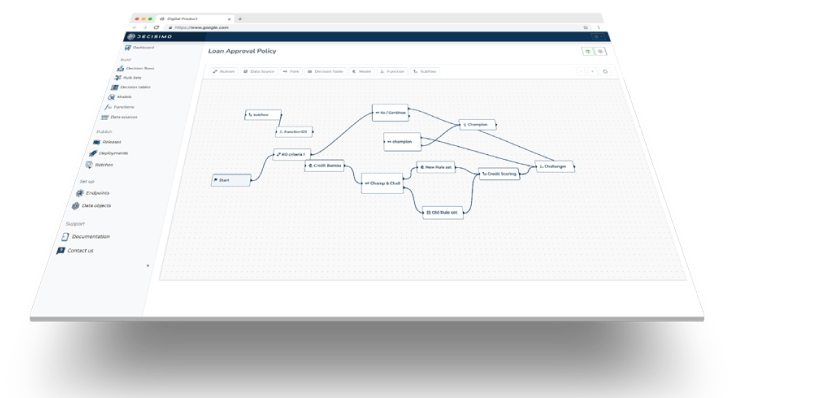
Store the API key as a credential and reference it in the data source header. The configuration assistant can use AbuseIPDB’s documentation to configure the data source, and the configuration takes effect when you select Apply Configuration.