How to integrate macaddress.io into a decision engine
Macaddress.io provides database as a service of current MAC addresses and its vendors. The service is especially useful when evaluating device validity to prevent and detect attacks from virtual machine environments. If someone takes your mobile app and runs it virtually on a laptop, you can check network environment, MAC address of the network and see whether there is something dodgy happening.
Get an account API key from macaddress.io
 macaddress.io has simple pricing and an easy sign-up process. Their free tier gives you 1,000 checks a day, which is enough for testing the service out.
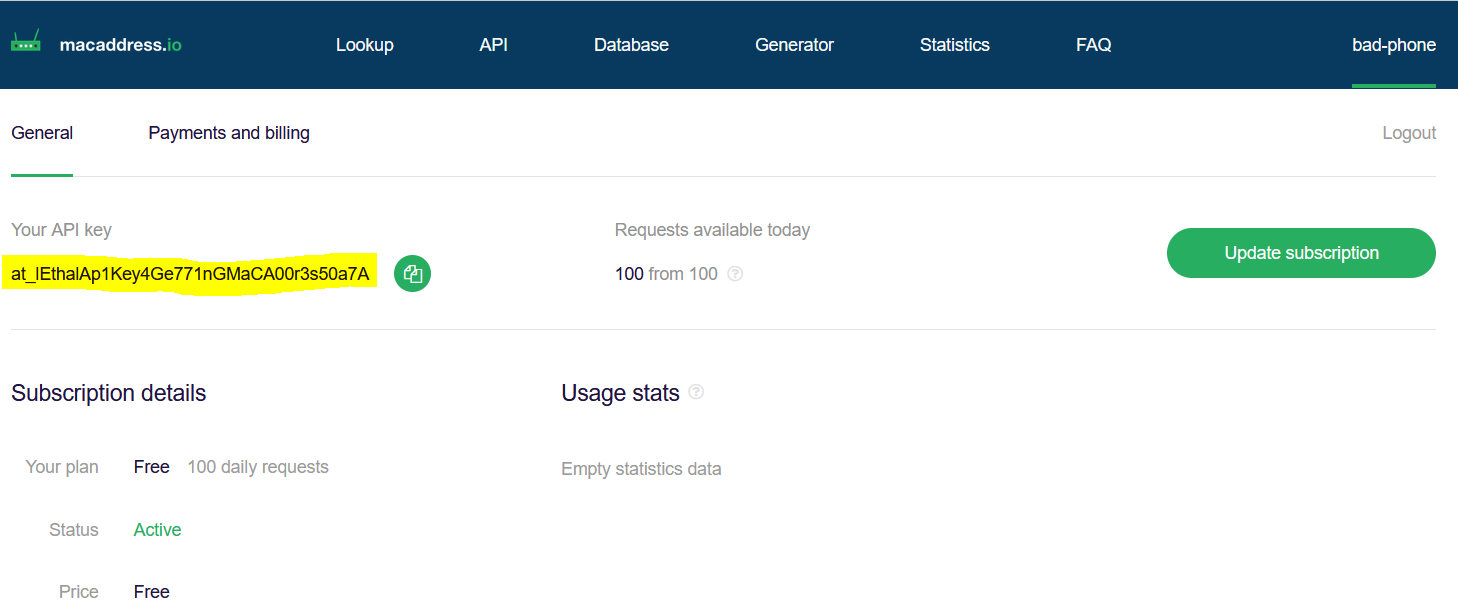
https://macaddress.io/signup- Once you get an account and log in, head to General Dashboard and find your API key.
Create a data source in Decisimo Portal
- Select New in Data sources, ask the AI Assistant to configure the provider, then check and apply its proposal.
- Place the API Key you have from macaddress.io instead of the __YOUR_API_KEY__ in the Parameters part - the highlighted text in the screenshot below.
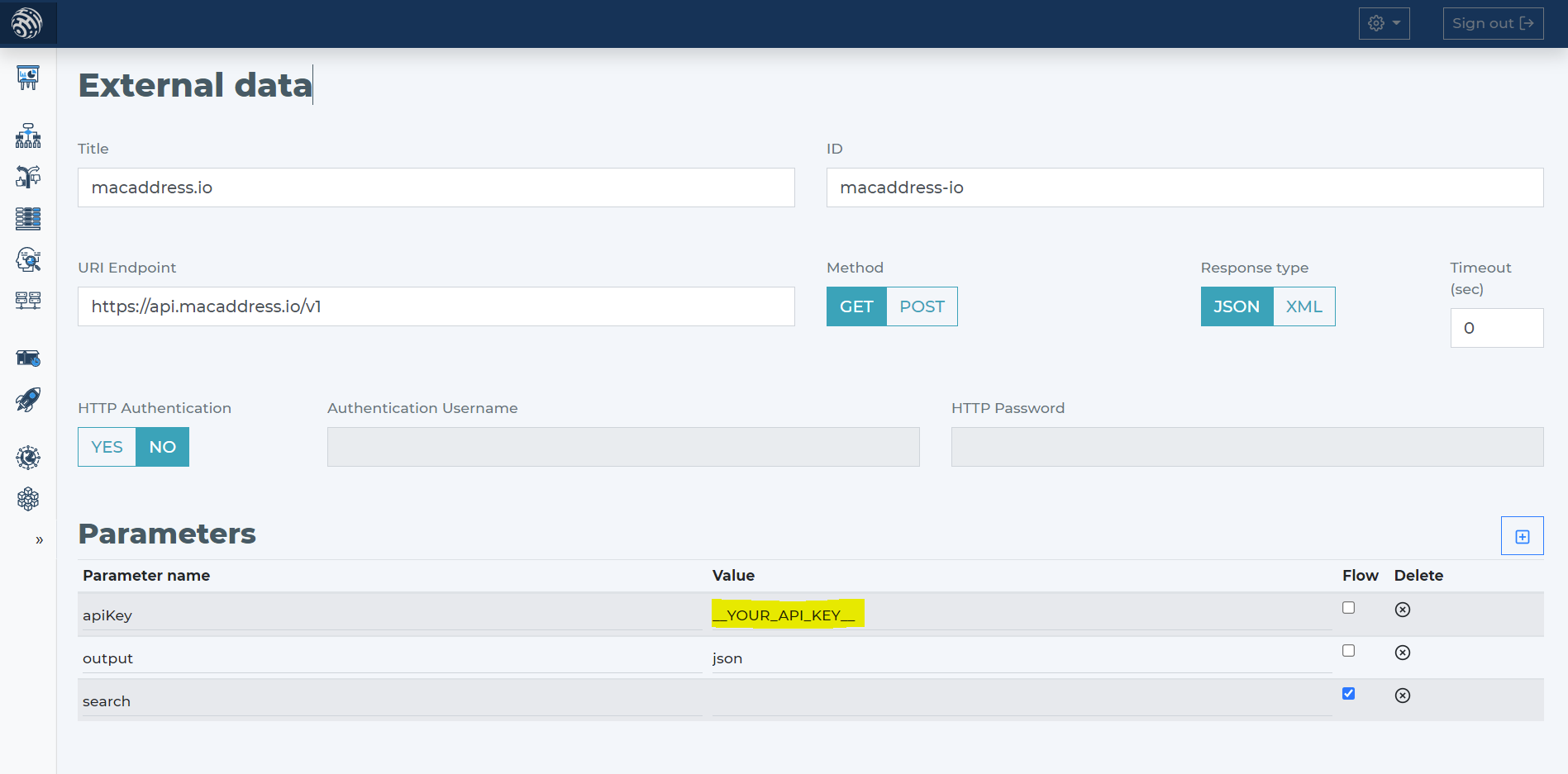
- macaddress.io has only one required parameter - search, which is for the MAC address.
- Tell the AI Assistant the provider and its HTTP call. Check the proposal against the parameters below.
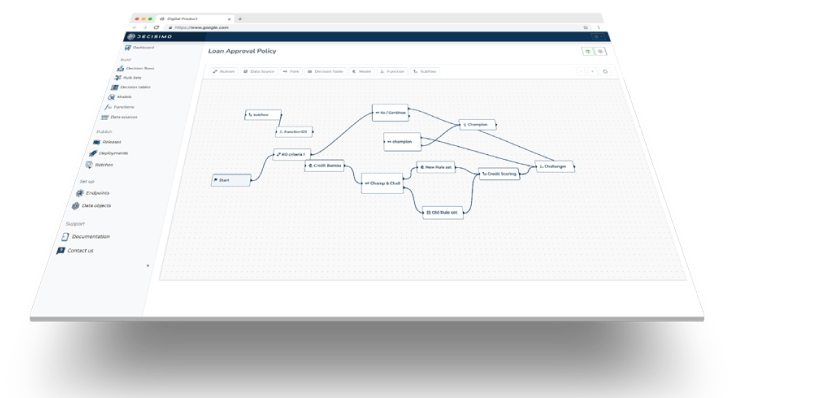
Add macaddress.io data source to your decision flow
- If you already have a decision step for data sources, you can add the call to macaddress.io within the same step. The decision engine will call all the sources in the same step in parallel. Parallel calls ensure the fastest execution time.
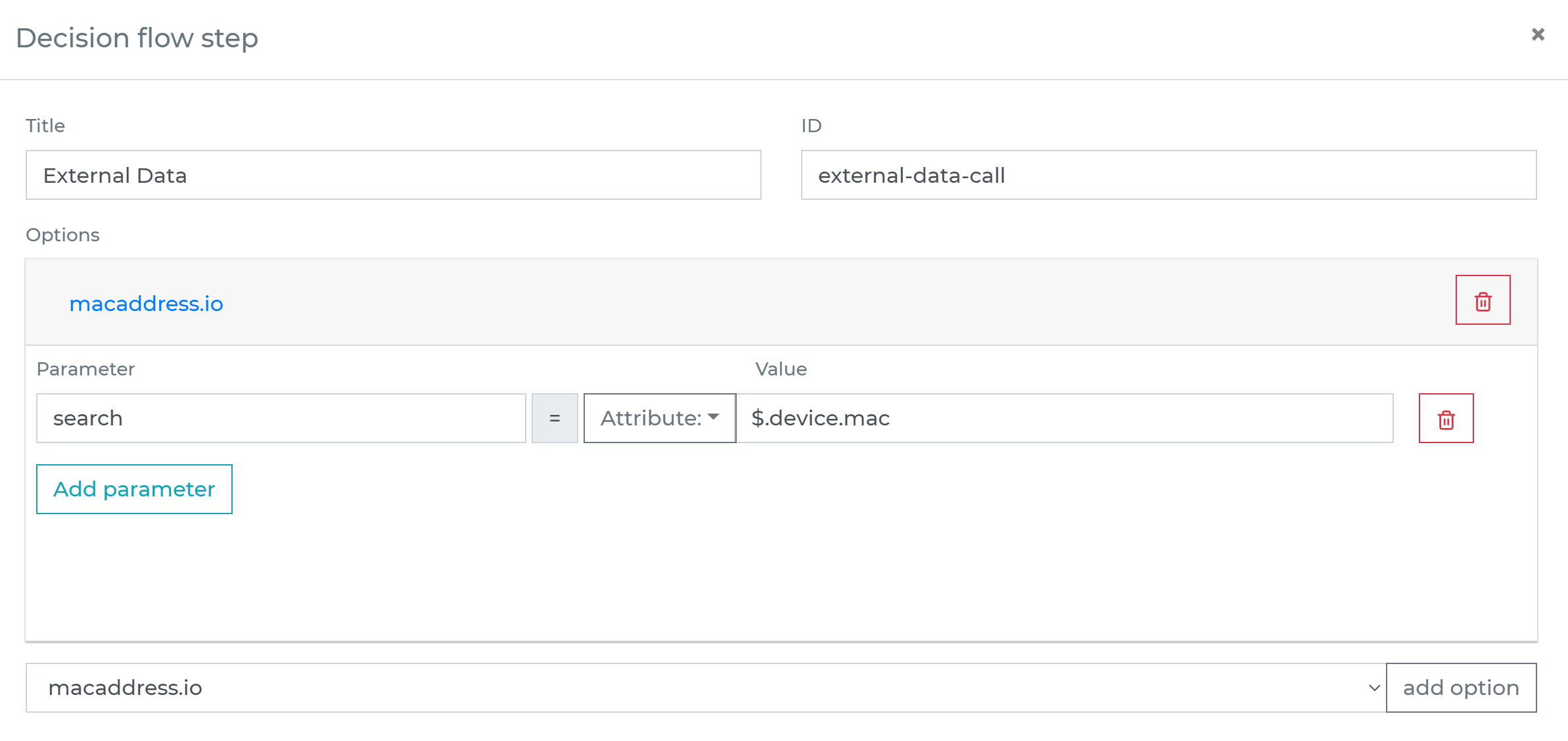
- If you do not have a decision flow step for external data, add one. Connect your decision flow step and by double-clicking, open the definition window. Define in the step the attribute with MAC address from your data object to be sent to macaddress.io.
-
Run the decision making
- Release your decision flow, deploy to an endpoint and make decisions using data from macaddress.io.
Frequently asked questions
What is macaddress.io used for?
macaddress.io provides a database-as-a-service of current MAC addresses and their vendors. macaddress.io can help evaluate device validity and detect attacks from virtual machine environments, such as when someone runs a mobile app virtually on a laptop.
How do I add macaddress.io to Decisimo?
Create a data source in Decisimo Portal and ask the AI Assistant to configure the provider and HTTP call. Review and apply the proposal, then enter your macaddress.io API key in Parameters. The required search parameter is the MAC address.
How does a decision flow use macaddress.io data?
Add the macaddress.io data source to a decision flow step that handles external data. If the flow already has a decision step for data sources, include the call there, where calls to sources in the same step run in parallel. Define the MAC address attribute from your data object, then release the flow and deploy it to an endpoint.