How to integrate Ekata Address Risk API into a decision engine
Ekata provides among other services also Address Risk API. The API is a great tool for verifying addresses in different scenarios. It can serve as an addition to traditional antifraud or credit risk evaluation.
In comparison to verification by Google Maps API, Ekata also offers more data. The data shows how and how much an address appears in eCommerce transactions. That includes the first time and last time it appeared, the number of merchants where it appeared, or how much it was used with other attributes.
You can read more about the Ekata Address Risk in one pager here.
Get an account API key from Ekata
 You will need to request a demo from Ekata and then you will receive a testing API key. You can request your demo at:
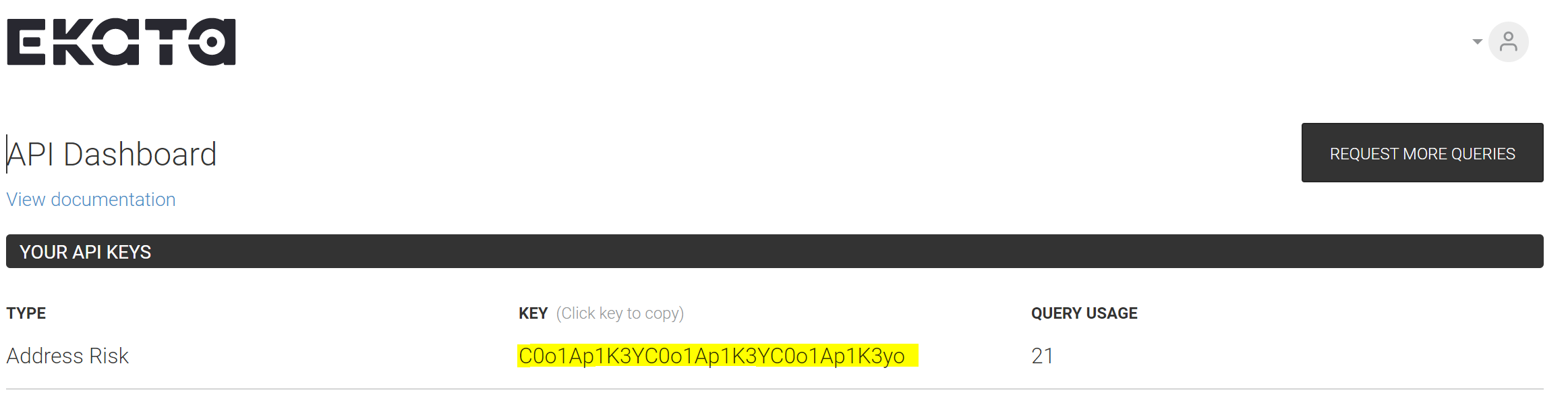
https://ekata.com/products/address-risk-api/- Once you get an account and log in, head to Dashboard, and get your API key for Address Risk.
Create a data source in Decisimo Portal
- Select New in Data sources, ask the AI Assistant to configure the provider, then check and apply its proposal.
- Place the API Key you have from Ekata in the value of the parameter “api_key”.
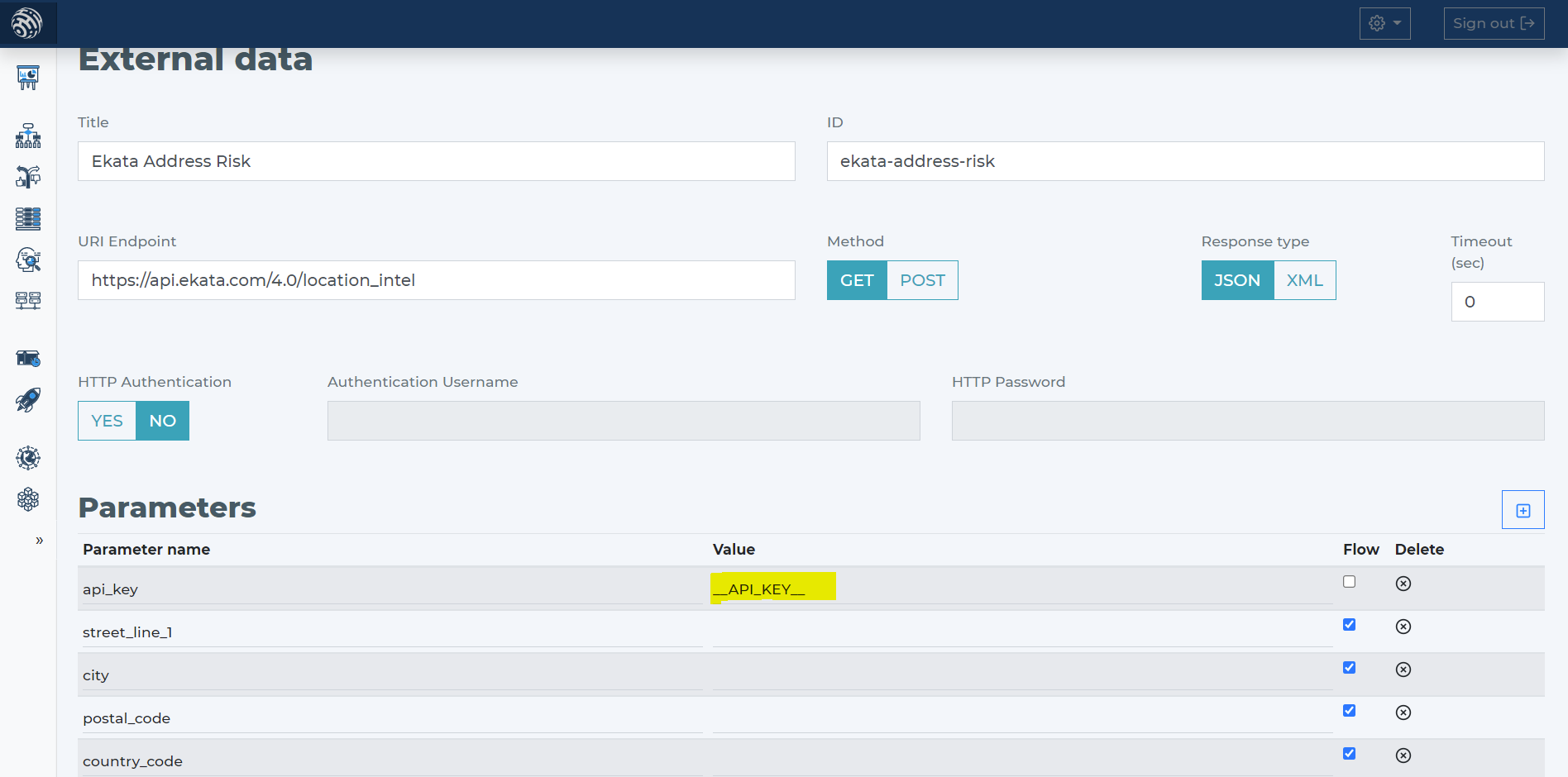
- Ekata needs the main address fields for proper evaluation. The main address fields are:
- street_line_1
- city
- postal_code
- country_code
- Tell the AI Assistant the provider and its HTTP call. Check the proposal against the parameters below.
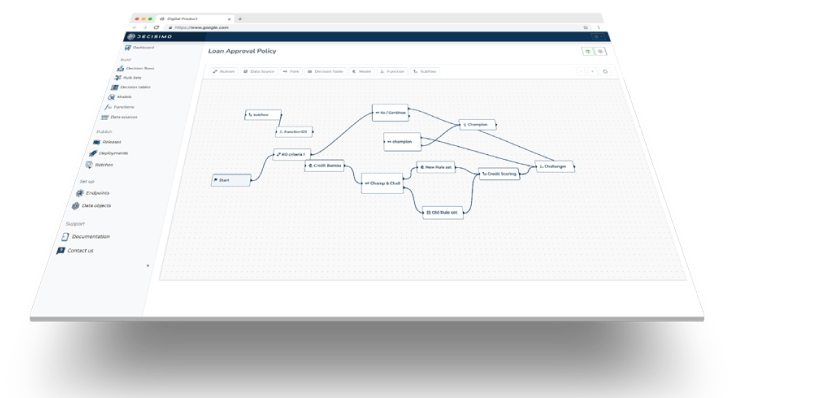
Add Ekata Address Risk data source to your decision flow
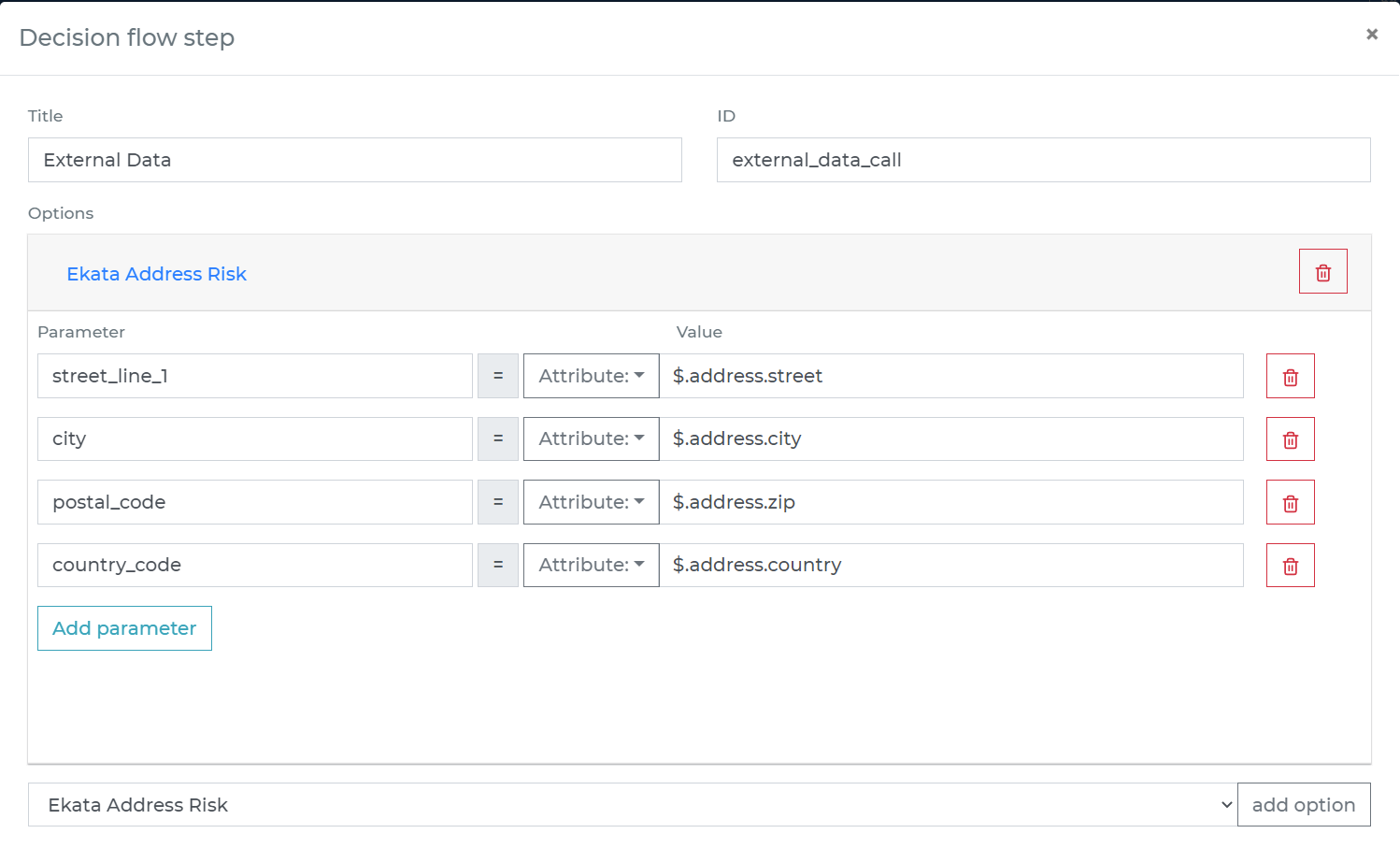
- If you already have a decision step for data sources, you can add the call to Ekata Address Riskwithin the same step. The decision engine will call all the sources in the same step in parallel. Parallel calls ensure the fastest execution time.
- If you do not have a decision flow step for external data, add one. Connect your decision flow step and by double-clicking, open the definition window. Define in the step the attributes from your data object to be sent to Ekata Address Risk API.
-
Run the decision making
- Release your decision flow, deploy to an endpoint and make decisions using data from Ekata Address Risk API.
Frequently asked questions
How do I connect Ekata Address Risk API to a decision engine?
To connect Ekata Address Risk API to a decision engine, request a demo from Ekata to get a testing API key, then sign in and retrieve the Address Risk API key from the Dashboard. In Decisimo Portal, create a data source and ask the AI Assistant to propose its configuration. Review and approve the proposal, then enter the API key.
What address information does Ekata Address Risk API need?
Ekata Address Risk API needs the first line of the street address, city, postal code and country code. Define these attributes from your data object for the API call in the decision flow’s external-data step.
How do I use Ekata Address Risk data in a Decisimo decision flow?
To use Ekata Address Risk data in a Decisimo decision flow, add the API call to an existing decision step for data sources, or add an external-data step. Data sources called in the same decision step run in parallel. Release the decision flow and deploy it to an endpoint to make decisions using Ekata data.