How to integrate FraudlabsPro into a decision engine
FraudLabsPro is a fraud protection service for eCommerce companies of any size. It is affordable for small and enterprise customers. Within its service, it enriches data with BIN card-related information and IP address information. The service scores for your transactions and allows for adding custom groups. Subsequently, you can work with transactions that are for review and check why some transactions are rejected or approved.
You can quickly integrate Fraudlabs Pro in Decisimo and use it together with other services for evaluation of your eCommerce transactions.
Create an account and get your API Key
 Sign up for an account on FraudLabs Pro if you do not have one yet. Choose the account that fits you best, or just start with a free tier.
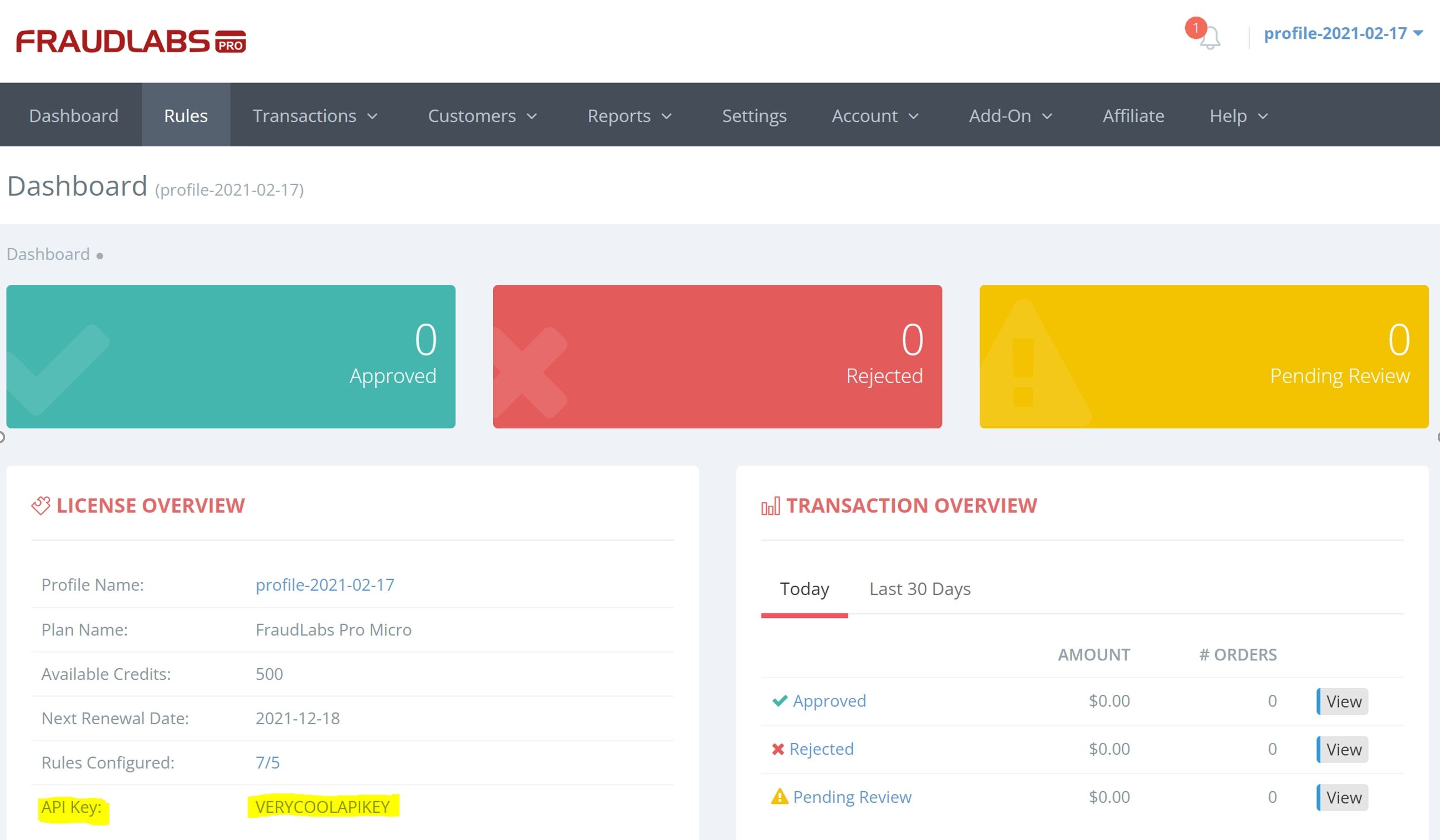
https://www.fraudlabspro.com/pricing- Once you log into your account, head to FraudLabsPro Dashboard, and in the License Overview box look for API Key. We will need the API Key for next step.
Create a data source in Decisimo Portal
- Select New in Data sources, ask the AI Assistant to configure the provider, then check and apply its proposal.
- In the External data definition page, change the API key to the key that you have obtained from FraudLabs.
- Review the data fields that you can provide and that you are unable to provide. There are two main types of data – technical and business. Technical fields need to be always included. Some business attributes are required, and some are optional.
-
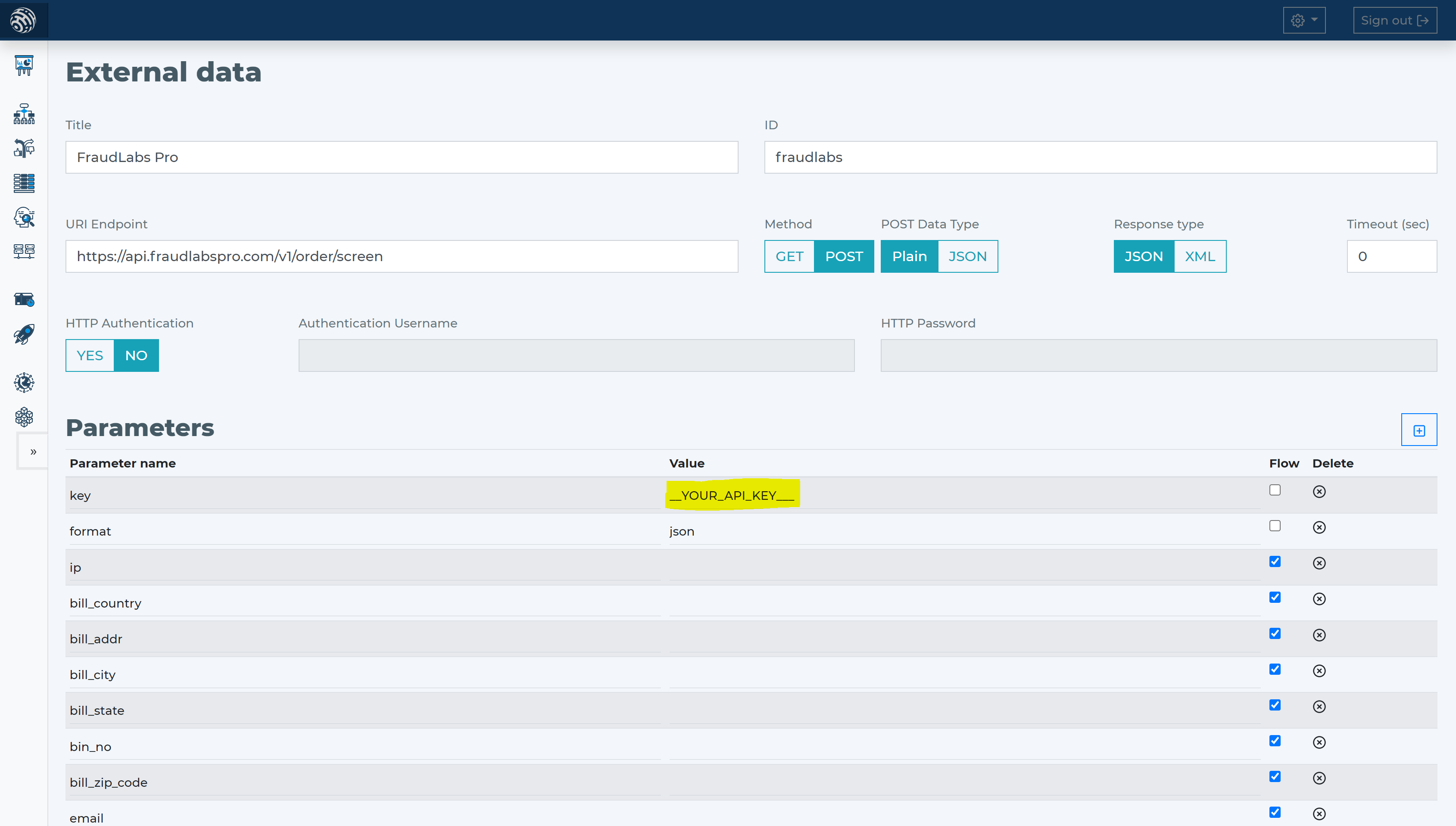
- To connect Fraudlabs Pro, use Data sources > New and the AI Assistant. Describe the provider and call, then check and adjust its proposal before applying it. Set key to the API key from Fraudlabs Pro and leave format as JSON.
- FraudLabs Pro requires only the IP address of the customer making the transaction. All other attributes are optional. For getting the most from FraudLabs Pro, try to provide the most attributes possible.
- The least information for good antifraud evaluation is apart from price and currency, also billing address, email address, email, and card-related information. Within FraudLabs Pro that means attributes:
- bill_addr
- bill_city
- bill_state
- bill_country
- bill_zip_code
- bin_no
- amount
- currency
- Tell the AI Assistant the provider and its HTTP call. Check the proposal against the parameters below.
Add Fraudlabs Pro data source to your decision flow
- If you already have a decision step for data sources, you can add the call to FraudLabs Pro within the same step. The decision engine will call all the sources in the same step in parallel. Parallel calls ensure the fastest execution time.
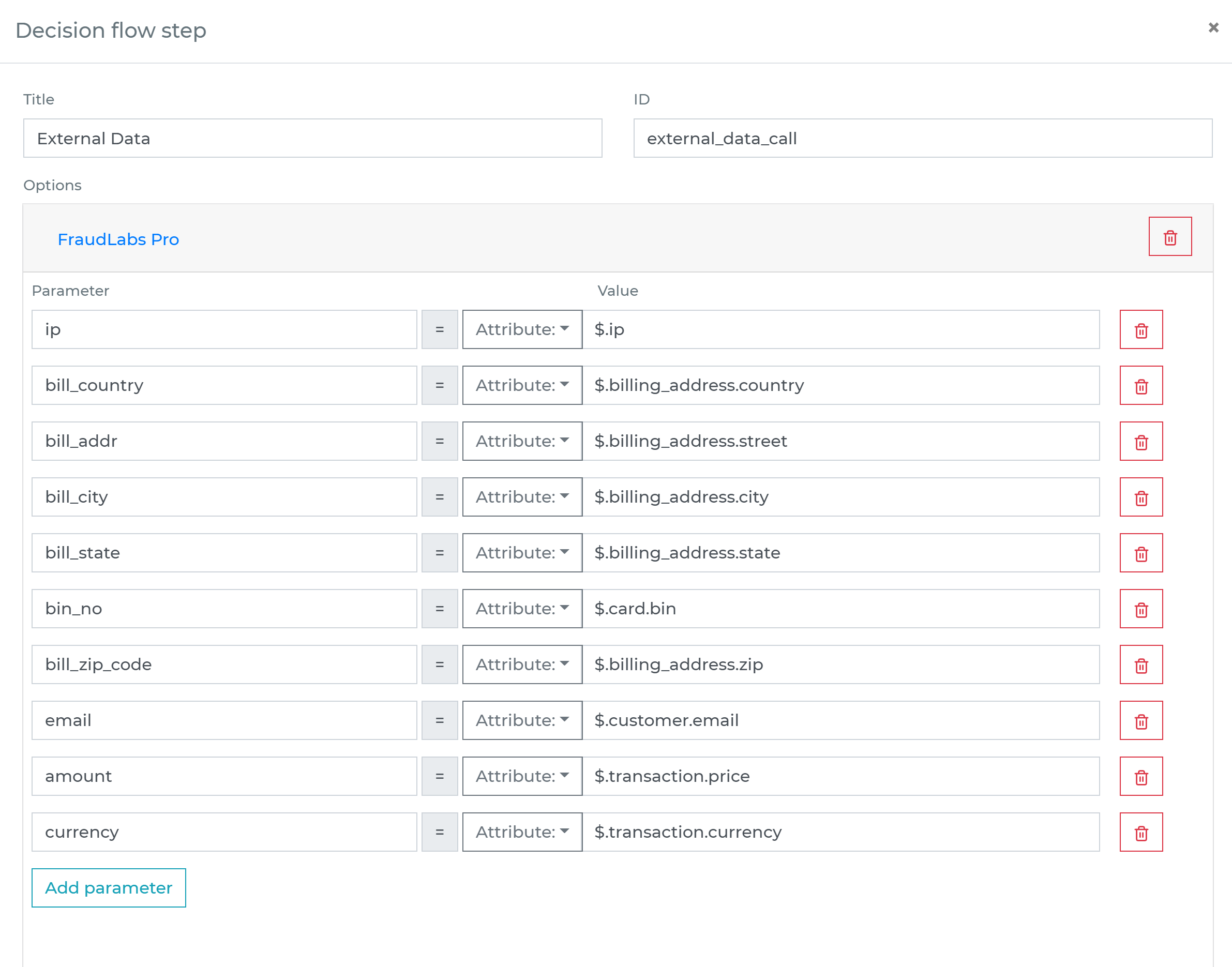
- If you do not have a decision flow step for external data, add one. Connect your decision flow step and by double-clicking, open the definition window. Define in the step the attributes from your data object to be sent to FraudLabs Pro verification.
-
Run the decision making
- Release your decision flow, deploy to an endpoint and make decisions using data from FraudLabs Pro.
Frequently asked questions
What cutoff should I use for FraudLabsPro scores?
Do not choose a cutoff from the score alone. Test candidate cutoffs against transactions with known outcomes, measuring fraud losses alongside legitimate transactions sent for review or declined. If your team can handle the volume, start with separate approve, review and decline bands, then adjust them to match observed outcomes and your loss tolerance. Check the score scale and reasons in your FraudLabsPro account before mapping scores to actions.
What should my decision logic do if FraudLabsPro returns no usable result?
Treat a failed or unusable FraudLabsPro response as different from a valid low-risk result. Choose a fallback based on transaction value and the cost of delay, such as retrying, holding the transaction for review or applying another check. Do not silently replace missing optional fields with zero or treat them as evidence that a transaction is safe. Test the fallback before routing live transactions.
When should I combine FraudLabsPro with another fraud data source?
Combine sources when they assess different risks or add information your current checks do not provide. Keep each source’s contribution clear in your decision logic, and decide how conflicting results or unavailable data affect the outcome. Check for duplicate signals, such as the same IP information influencing two assessments, then compare combined decisions with each source’s results on its own.
