How to integrate WhatIsMyBrowser into a decision engine
WhatIsMyBrowser.com is a service that parses browser string information from User-Agent headers. The parsed output shows details about the browser, the platform, and other technical attributes.
Browser data is useful for detecting bot traffic and other malicious traffic. Real users tend to update their browsers and use standard releases. Bot traffic often sticks to a specific string or rotates through a fixed set of browsers. Over time, that rotation becomes outdated, which WhatIsMyBrowser indicates in its response data.
Sign up for a WhatIsMyBrowser account and get API key
 To get an API key, fill in the form to open an account with WhatIsMyBrowser.
https://developers.whatismybrowser.com/api/pricing/
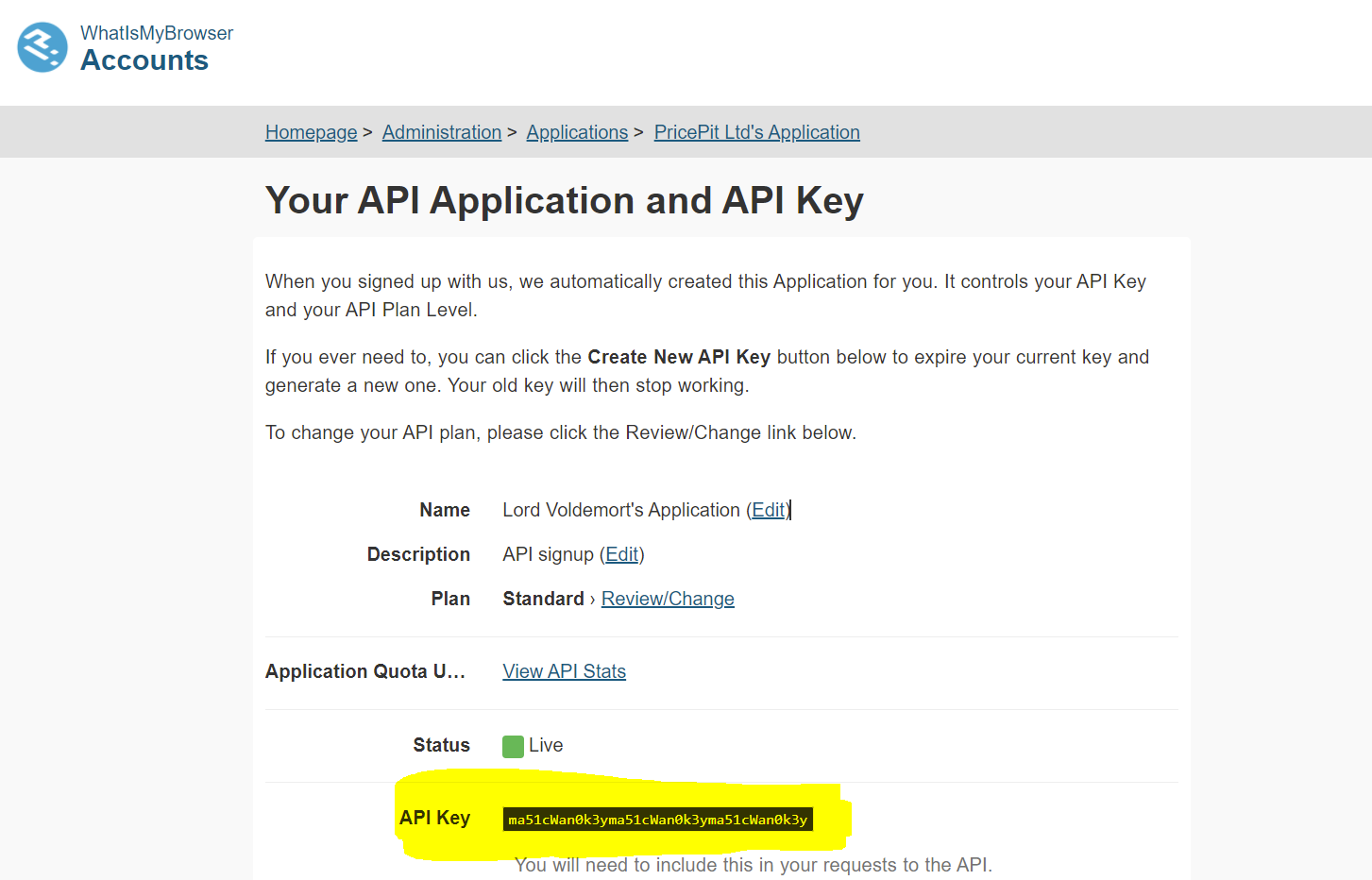
Their Free Tier allows 5,000 requests a month, which is enough to test the value in your use case.- Once your account is ready, go to WhatIsMyBrowser Account management and get your API key.
Create a data source in Decisimo Portal
- Select New in Data sources, ask the AI Assistant to configure the provider, then check and apply its proposal.
- Replace __YOUR_API_KEY__ in the Headers section with your WhatIsMyBrowser API key. This is the highlighted text in the screenshot below.
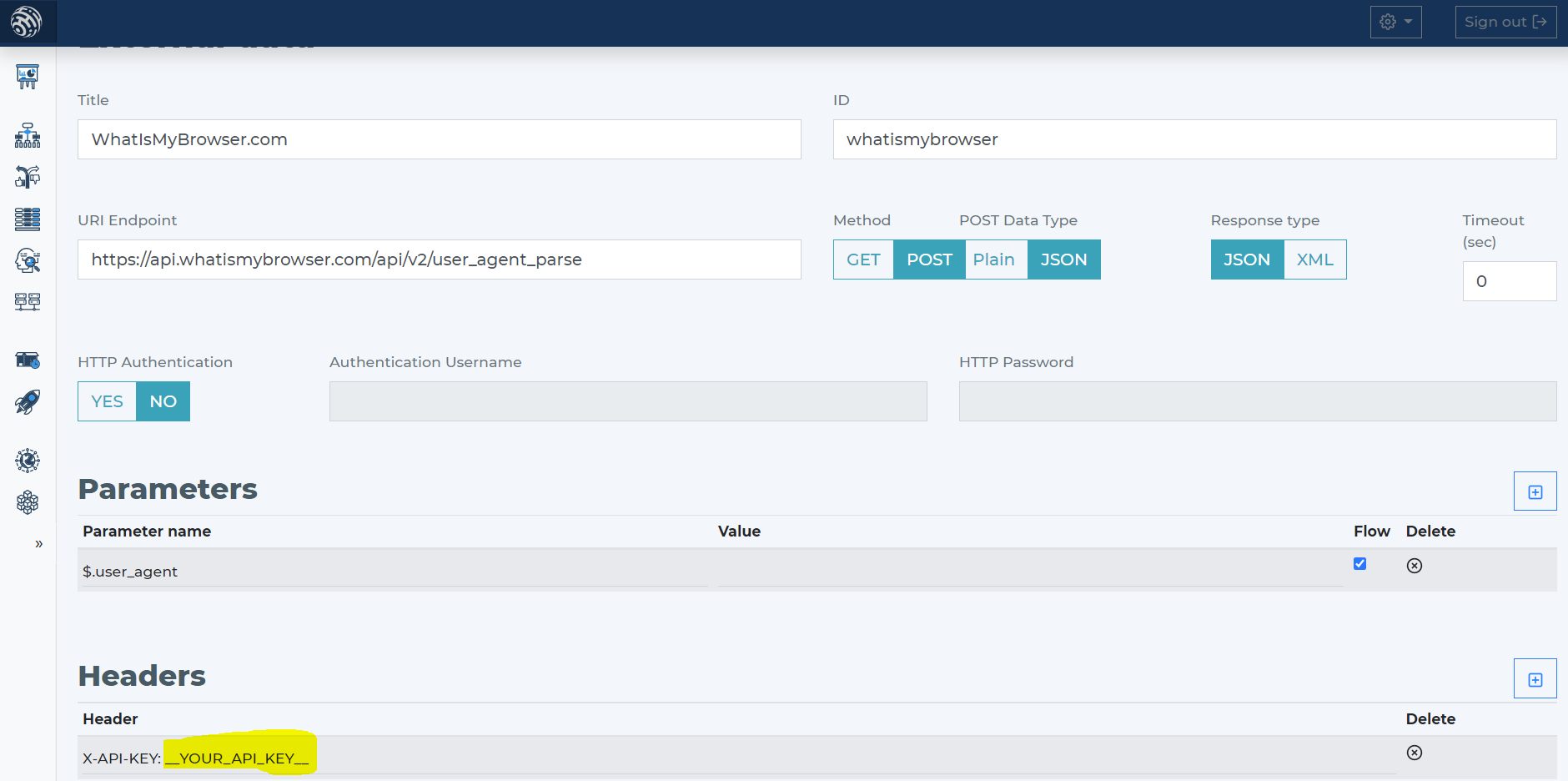
- Tell the AI Assistant that WhatIsMyBrowser's API needs only user_agent. Review its proposed connection in Data sources and apply it. JSON and XML responses are available to the decision flow.
Add WhatIsMyBrowser data source to your decision flow
- If you already have a decision step for data sources, add the WhatIsMyBrowser call in that same step. The decision engine calls all sources in the same step in parallel. That gives you the fastest execution time.
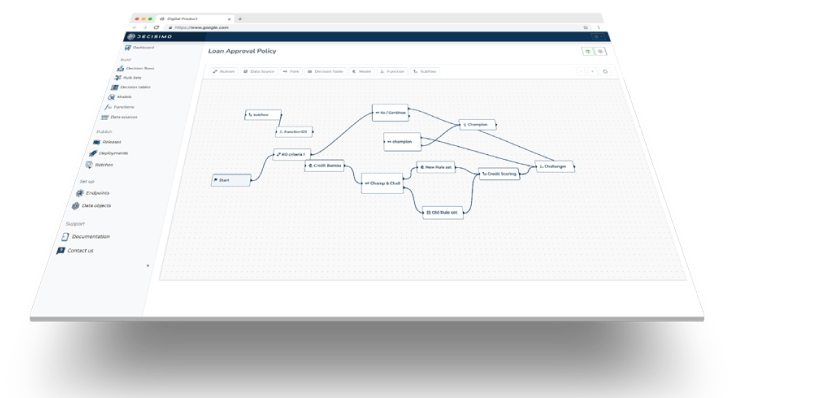
- If you do not have a decision flow step for external data, add one. Connect the step in your decision flow and open the definition window by double-clicking.
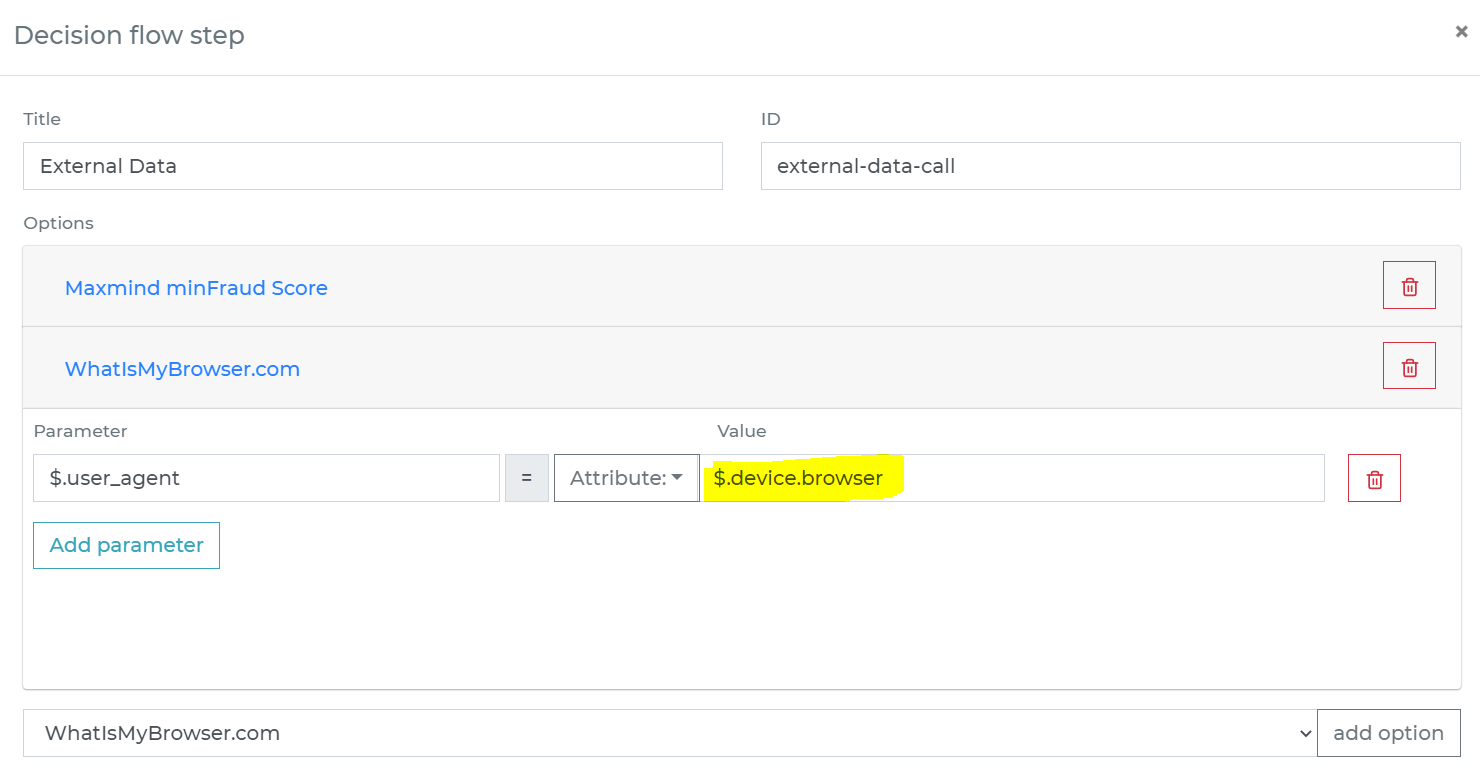
- In the decision flow step, define the attribute from your data object that contains the User-Agent string to send to WhatIsMyBrowser.
-
Run the decision making
- Release your decision flow, deploy it to an endpoint, and make decisions using data from WhatIsMyBrowser.
Frequently asked questions
What browser information does WhatIsMyBrowser provide?
WhatIsMyBrowser parses browser information from User-Agent headers and returns details about the browser, platform and other technical attributes. Decisimo makes the service’s JSON and XML responses available to the decision flow as external data.
How do I connect WhatIsMyBrowser to Decisimo?
To connect WhatIsMyBrowser to Decisimo, create an account, get an API key and add a data source in Decisimo Portal. Ask the AI Assistant to propose the provider configuration, then review and apply it. Tell the AI Assistant that the API needs only the User-Agent string.
How can WhatIsMyBrowser data help detect bot traffic?
WhatIsMyBrowser data can help detect bot traffic and other malicious traffic. Real users tend to update their browsers and use standard releases, whereas bot traffic often sticks to a specific string or rotates through a fixed set of browsers. WhatIsMyBrowser indicates in its response data when that rotation becomes outdated.