How to integrate BINLIST.net into a decision engine
BINLIST is a service that identifies card details from the first 6/8 digits of a card. It can tell you whether the card is credit or debit. It may also identify whether the card is personal, business, or corporate. For some BINs, it returns only the issuing country. For others, it can also identify the issuing bank, including bank details.
The service is free if you stay under 10 requests per minute. For a low request volume, the integration is straightforward. If you need more requests, contact binlist.net and get API keys.
Create a data source in Decisimo Portal
 Select New in Data sources, ask the AI Assistant to configure the provider, then check and apply its proposal.
- Once the data source is created, you do not need to do anything else because this service does not require an API key for the free tier.
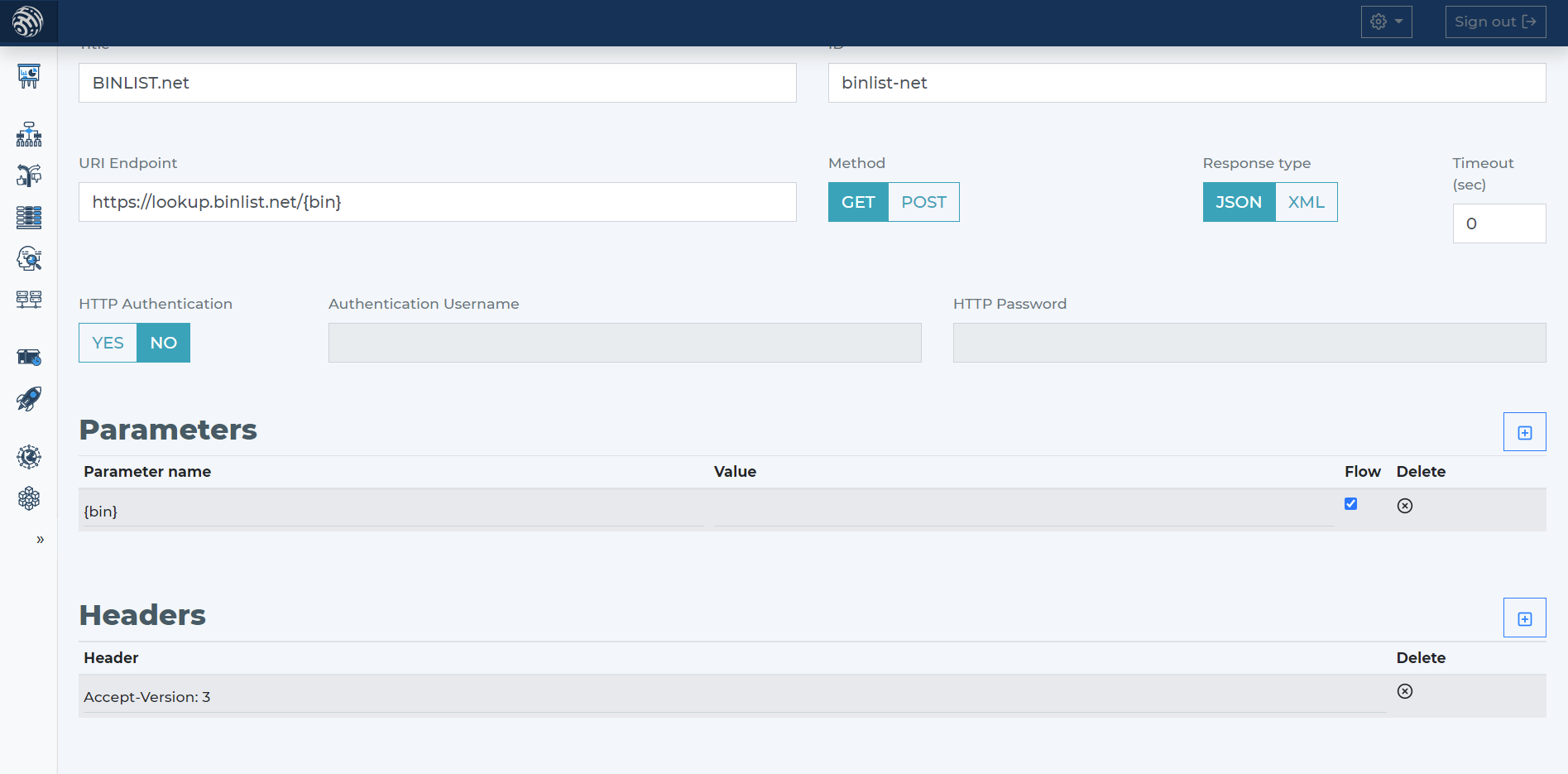
- Tell the AI Assistant that the API needs only the BIN card number. It proposes the endpoint and parameters; review and adjust them before applying the connection to your decision flow.
Add BINLIST.net data source to your decision flow
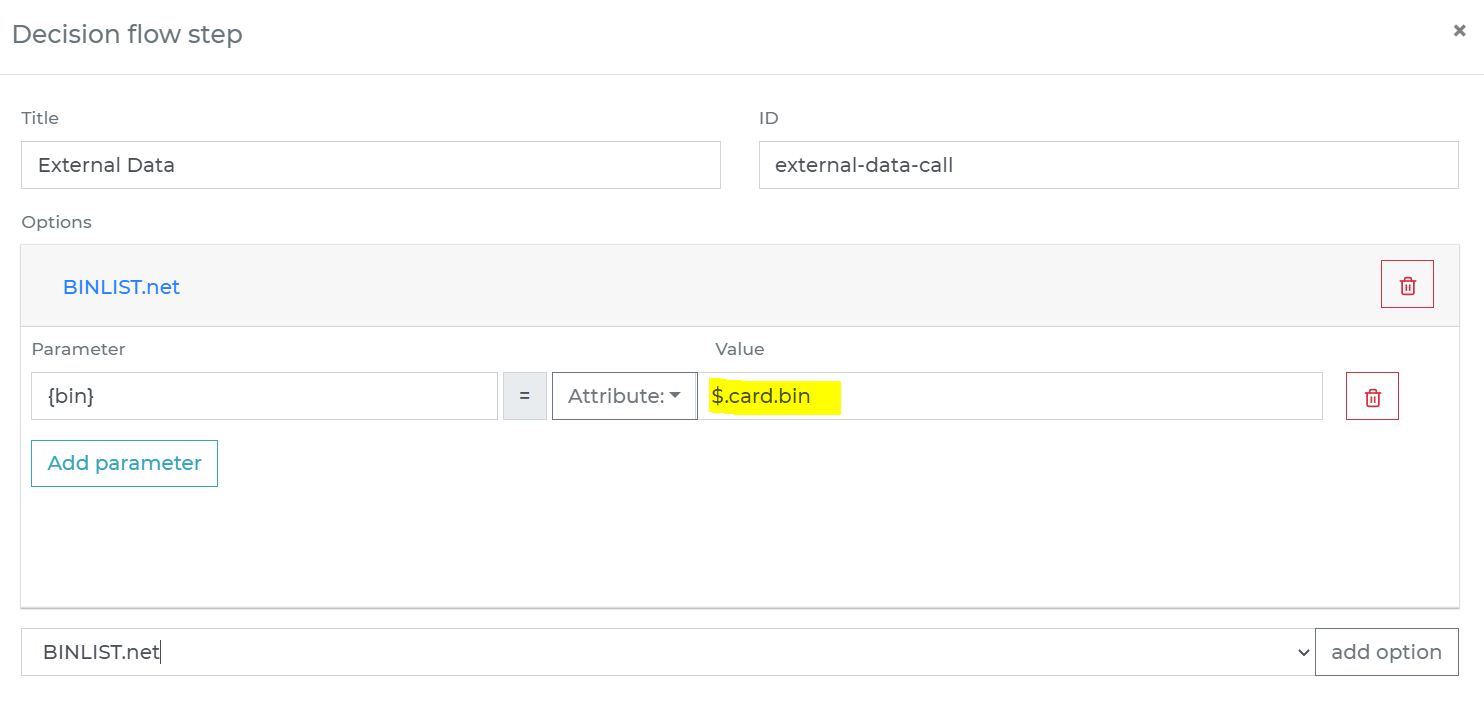
- If you already have a decision step for data sources, add the call to BINLIST.net in the same step. The decision engine will call all sources in that step in parallel. Parallel calls give you the fastest execution time.
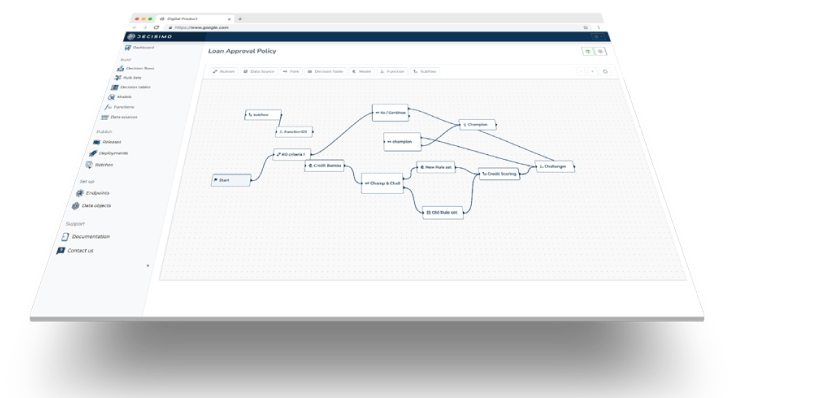
- If you do not have a decision flow step for external data, add one. Connect the step in your decision flow and double-click it to open the definition window.
- In the decision flow step, define the attribute from your data object that contains the BIN number to send to BINLIST.net. Make sure you send only the first 6/8 digits, not the full card number.
-
Run the decision making
- Release your decision flow, deploy it to an endpoint, and make decisions using data from BINLIST.net.
Frequently asked questions
What information can BINLIST.net return?
BINLIST.net can return whether a card is credit or debit and, for some BINs, whether it is personal, business, or corporate. It returns the issuing country for some BINs, and can also identify the issuing bank, including bank details, for others.
How do I connect BINLIST.net to a Decisimo decision flow?
Create a data source in Decisimo Portal, then ask the AI Assistant to propose the provider configuration, endpoint, and parameters. Review and adjust the proposal before applying it, add the data source to a decision flow, and map the attribute containing only the first six or eight digits of the card number. Release the decision flow and deploy it to an endpoint.
Is BINLIST.net free to use, and when do I need an API key?
BINLIST.net is free for fewer than 10 requests per minute, and its free tier does not require an API key. For a higher request volume, contact BINLIST.net to get API keys.